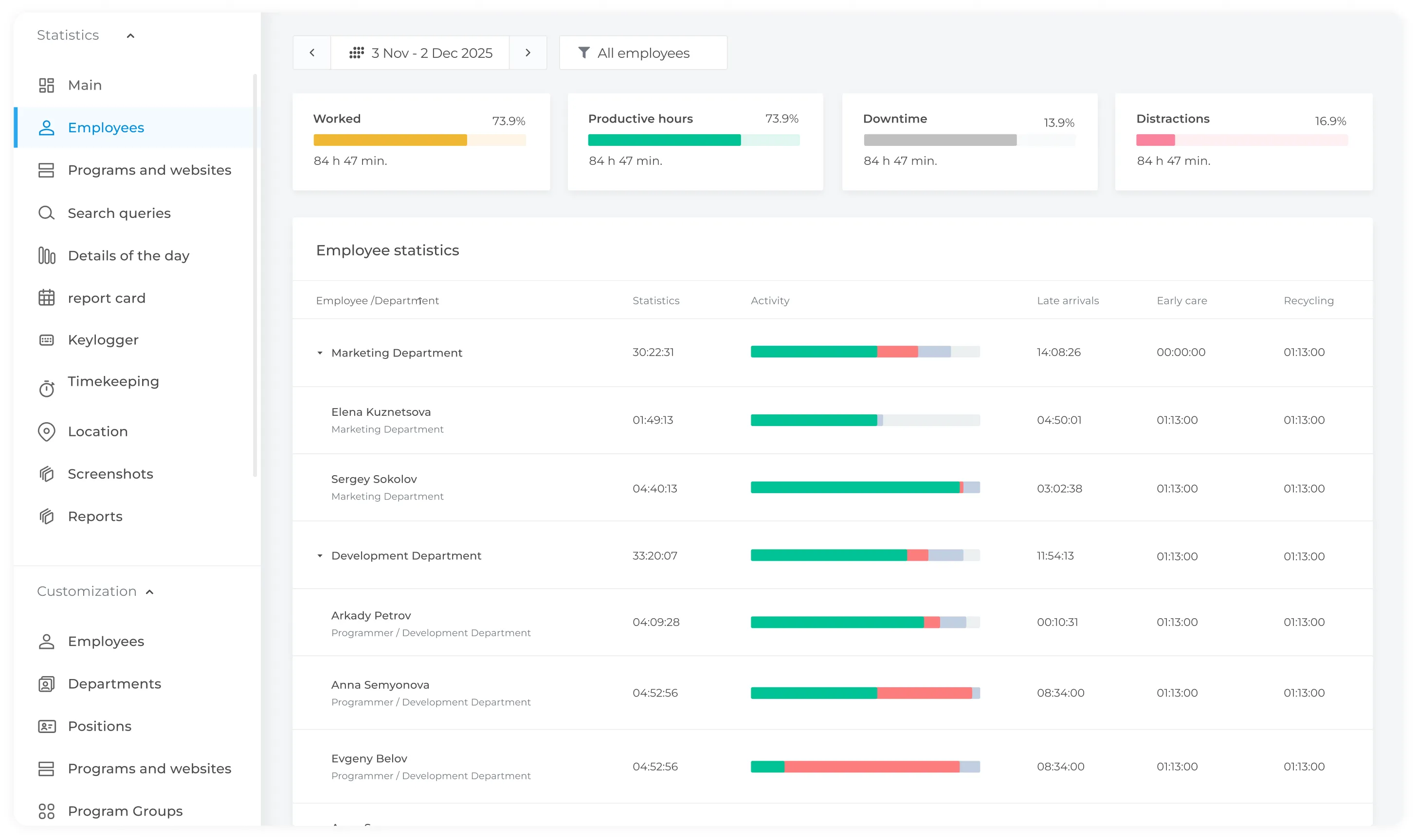
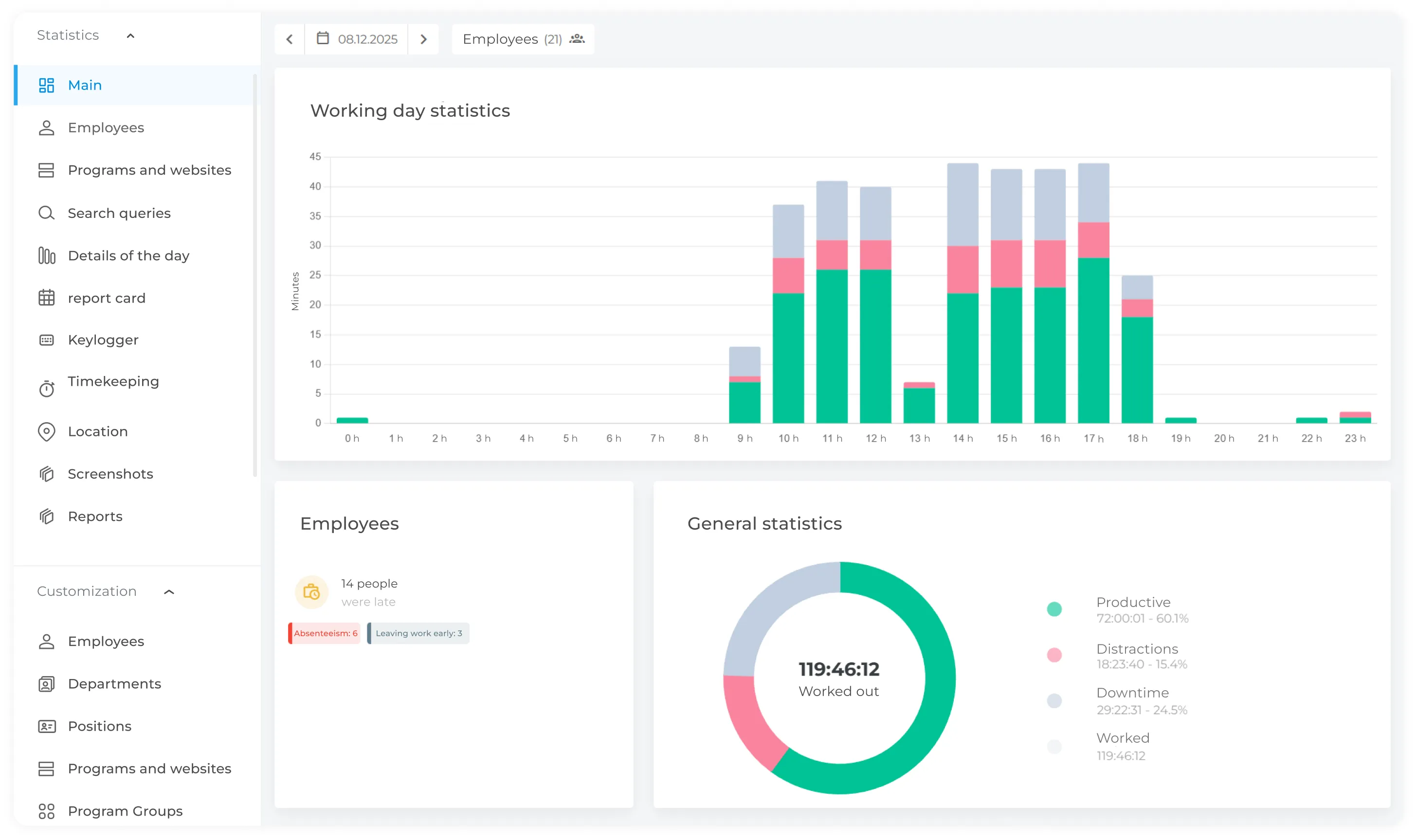
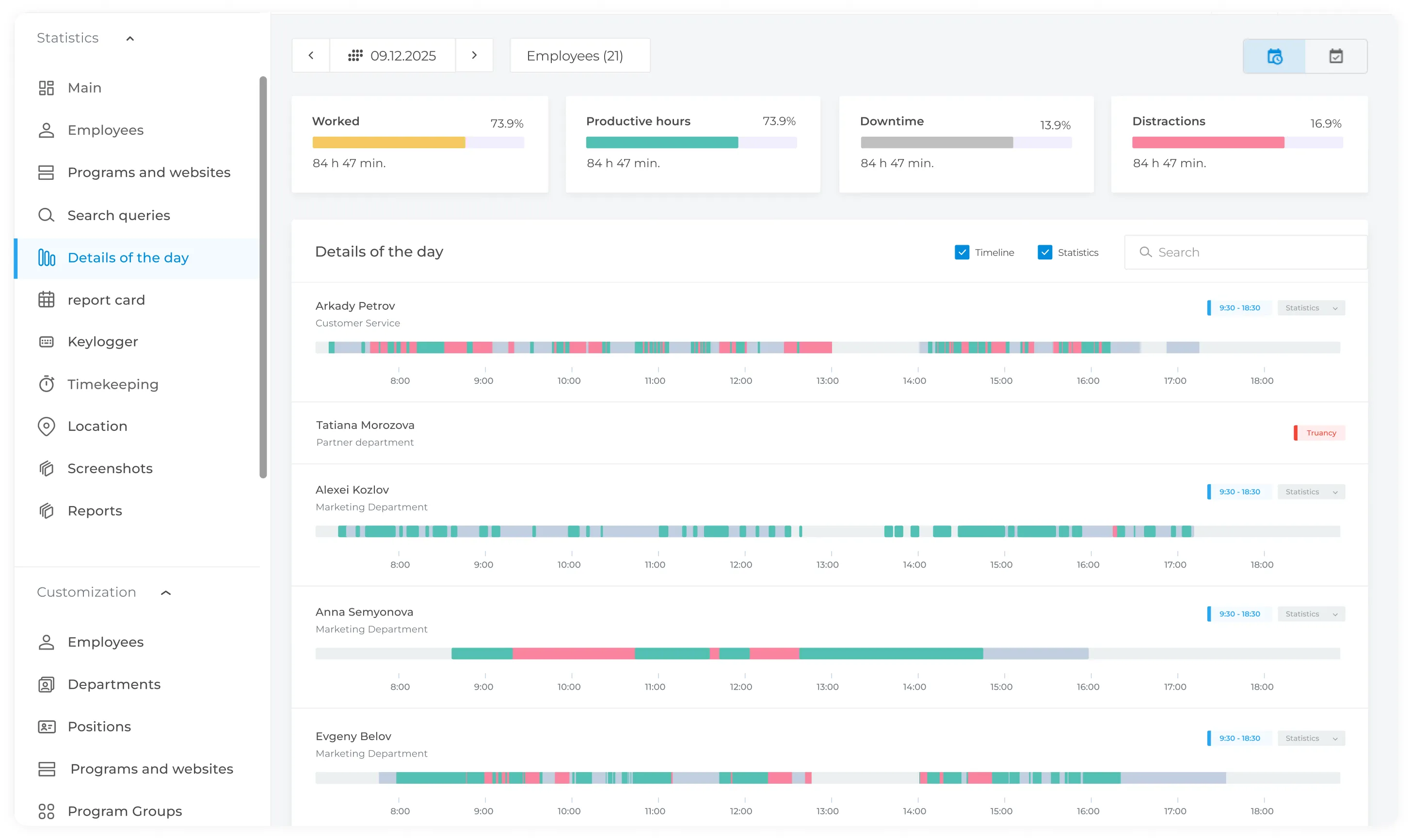
See how employees spend their working time across productive activities, non-work activities, and idle periods. INSIDER provides centralized visibility into activity on company computers. Use INSIDER to measure active, productive, unproductive and idle time throughout the working day.
Identify productivity patterns, workload imbalances and potential workflow bottlenecks.
Detect activity patterns that may indicate unauthorised data sharing or other potential insider risks
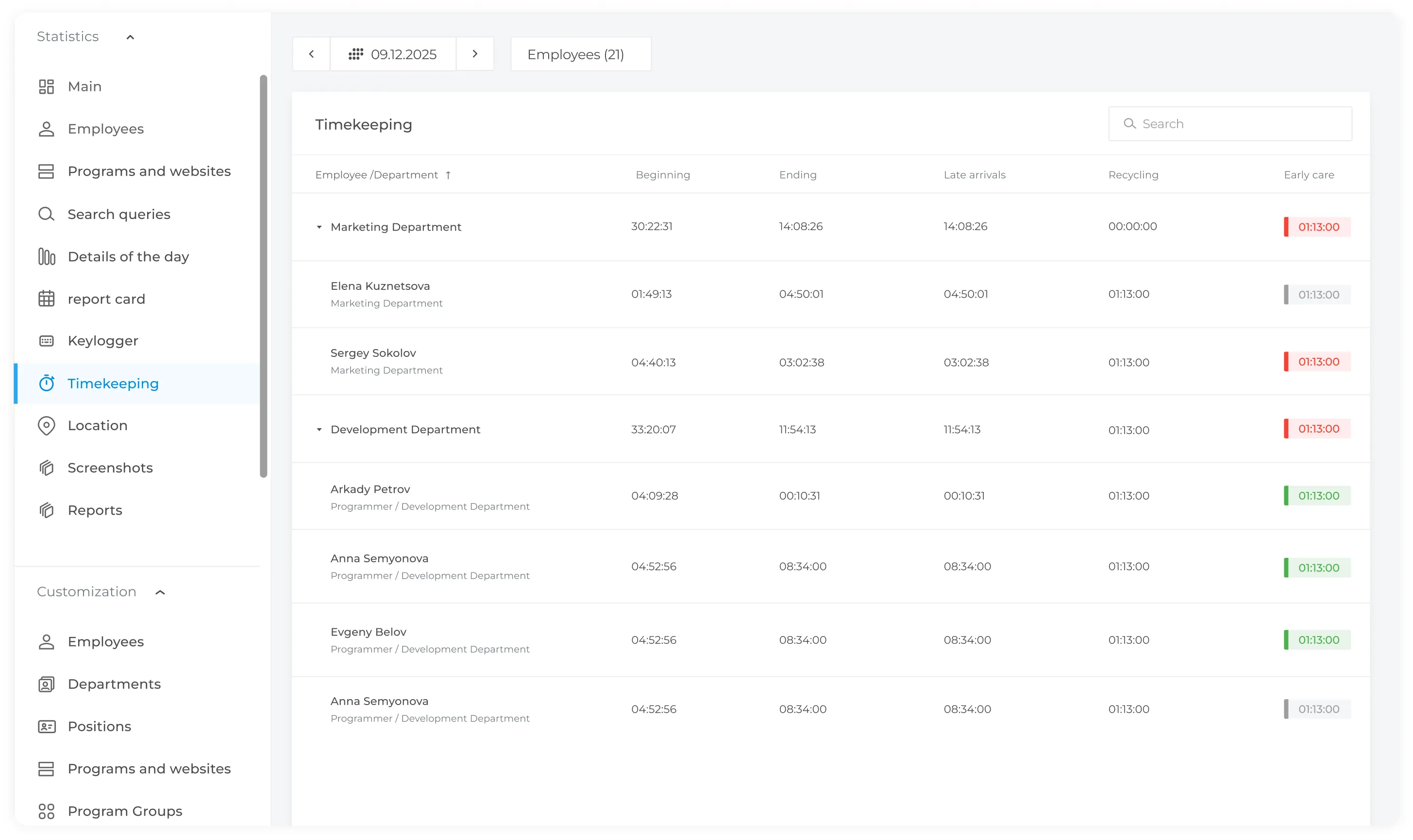
Generate reports showing working hours for individual employees and teams
Track how employees use their working time
Detect potentially risky activity
;
Detection of unusual employee activity
Online monitoring capabilities
Workload Distribution
Timesheet data shows employees who regularly work beyond their scheduled hours, helping managers identify workload imbalances across the team.
Website and Application Usage Reports
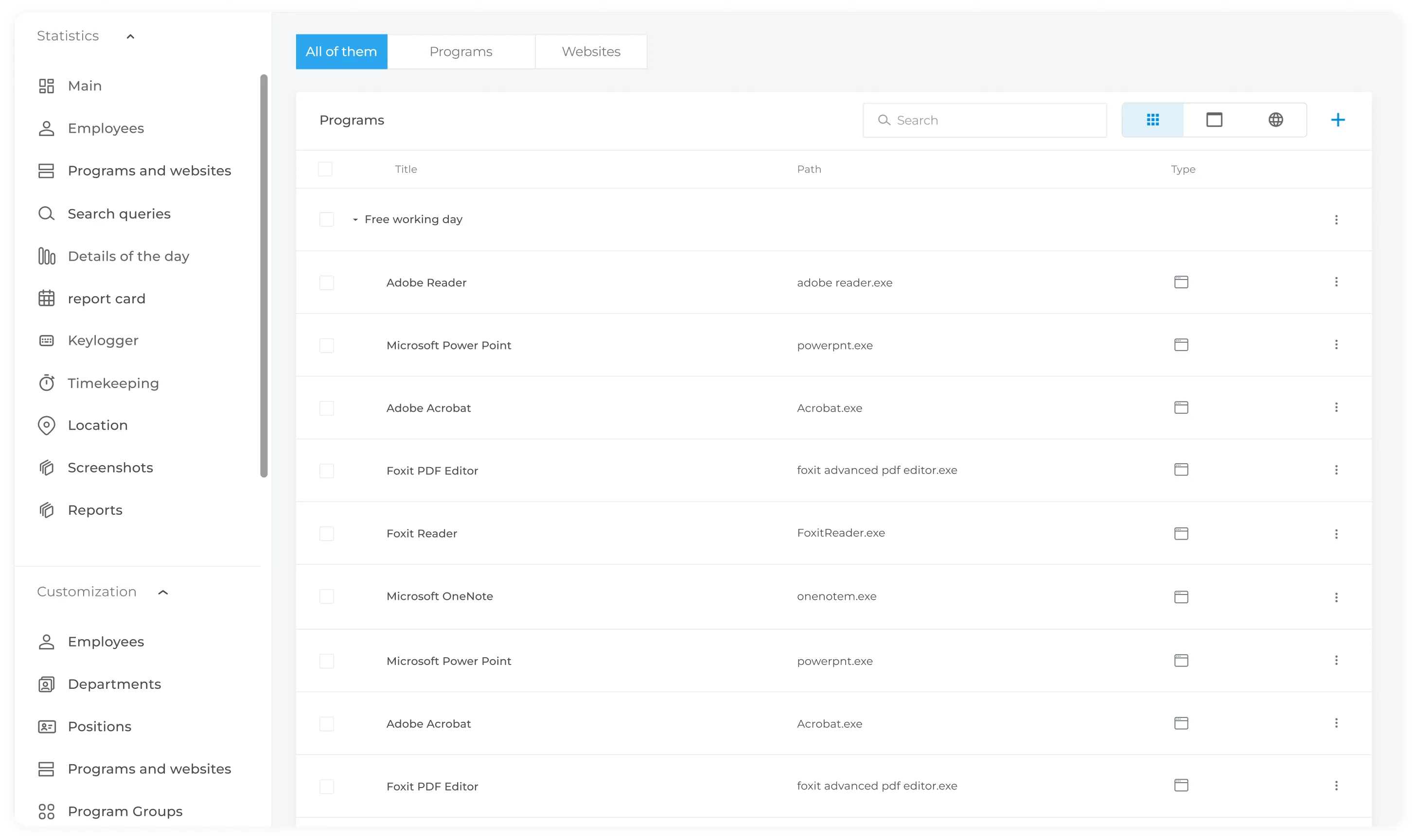
INSIDER allows managers to see which websites and applications employees use during the workday and how much time they spend on each one. This helps evaluate how employees use specific tools and compare usage patterns against established standards.
Remote Employee Time Tracking
Time tracking for remote employees helps measure the time spent on projects and tasks, as well as evaluate each employee’s contribution. Using employee filters, managers can see who spent the most time working on a specific project.
Keylogger
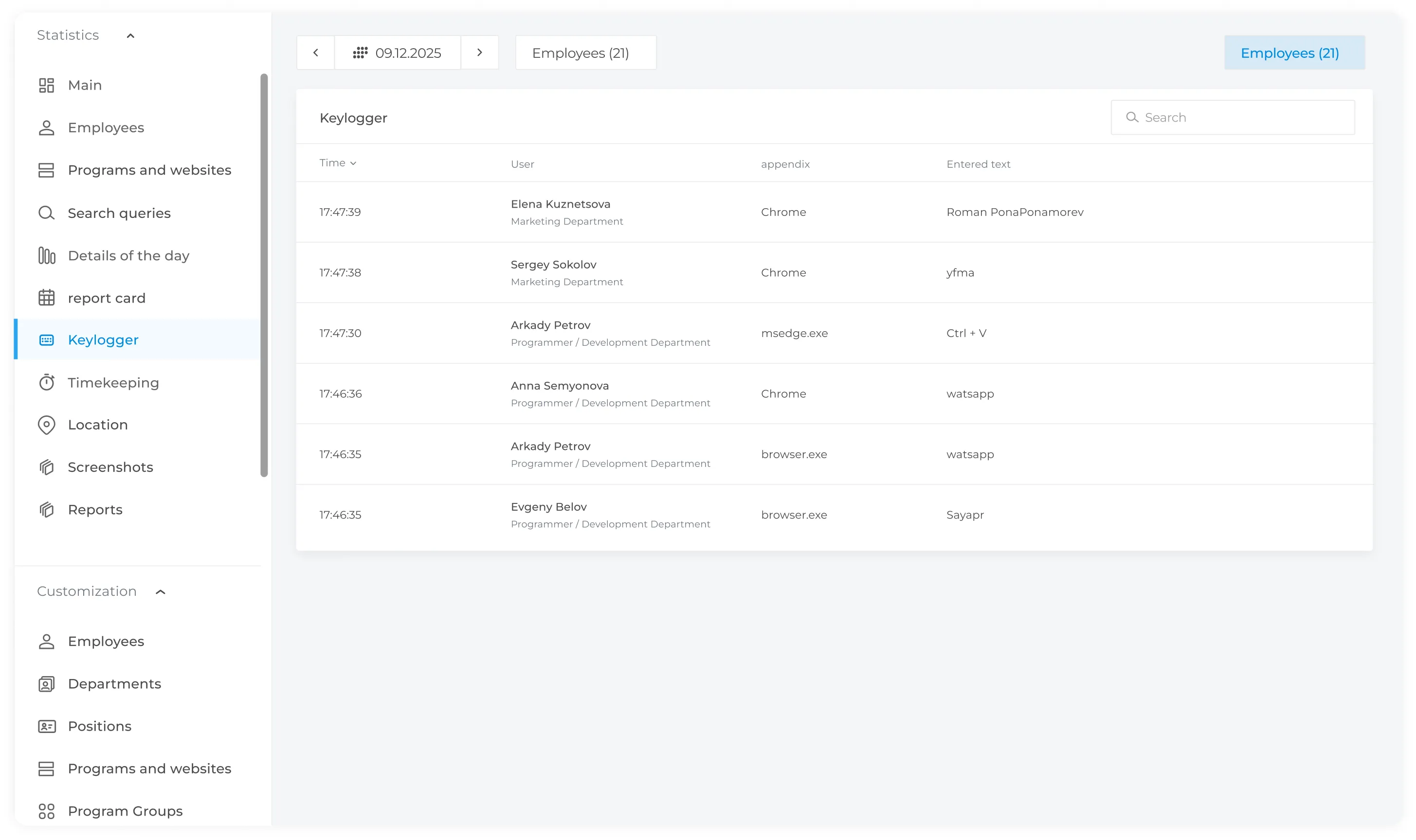
INSIDER's keylogger feature records keystrokes on authorized company computers and highlights configured keywords or phrases for authorized review.
How Employee Monitoring Works
When an employee stays focused on work tasks and remains productive, the activity indicator is shown in green
1
If an employee is not engaged in work-related activities, the activity indicator turns red, and the manager receives a notification with a screenshot of the employee’s screen
2
When an employee is not at work or doing nothing on the computer, the
activity bar will turn gray
3
When an employee is away from the workplace or the computer is inactive,
the activity indicator turns gray
4
INSIDER stores screenshots and employee activity history, allowing managers to review previous situations and resolve any questions if needed
5
How Does Online Employee Monitoring Work?
A special program (agent) is installed on each employee's computer. It collects activity data and sends it to the server. The manager or security officer can then view information about employee activity through the control panel.
What Can INSIDER Show You?
Employee computer screens across different offices, cities, and countries
The current activity status of each employee: “working”, “engaged in non-work activity”, or “away from the workplace”
Employee keystrokes
Policy violations and security incidents
Time spent working on computer
Get in Touch
Fill out the form and our manager will get back to you shortly.