Sign Up

Employee Productivity Analysis

See how employees use their working time and understand productivity patterns across your team.

How does INSIDER collect productivity statistics?

  • INSIDER automatically records employee activity on monitored company computers. The system tracks application and website usage together with active and idle periods.
  • Activity is classified as Productive, Unproductive or Idle according to configurable rules.

Productivity reports

INSIDER productivity reports are organised into 5 views:
Productivity
Provides an overview of productivity for an individual employee, team or department. See which applications and websites employees use during working hours and how much time they spend on each.
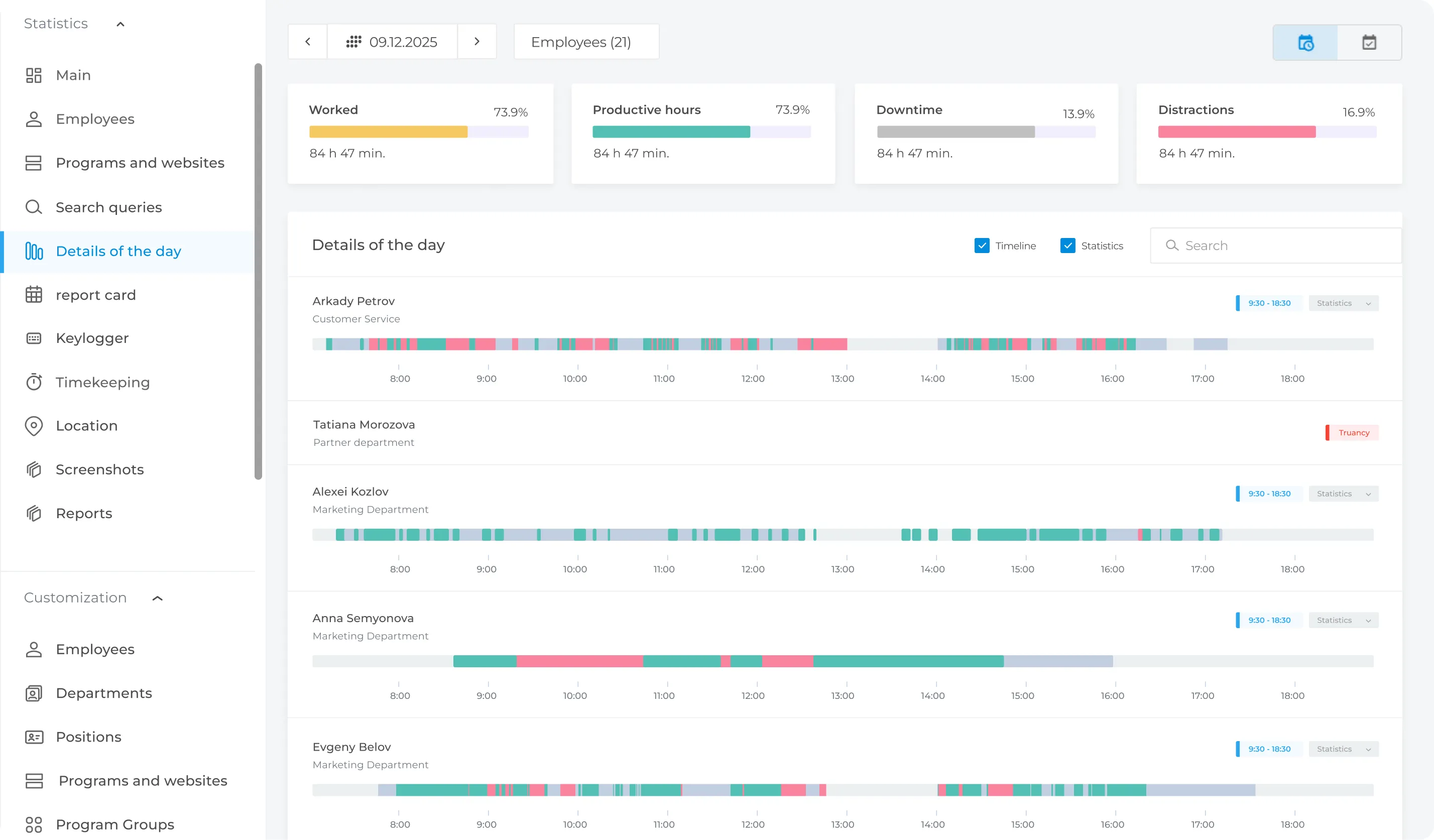
“Day Details”
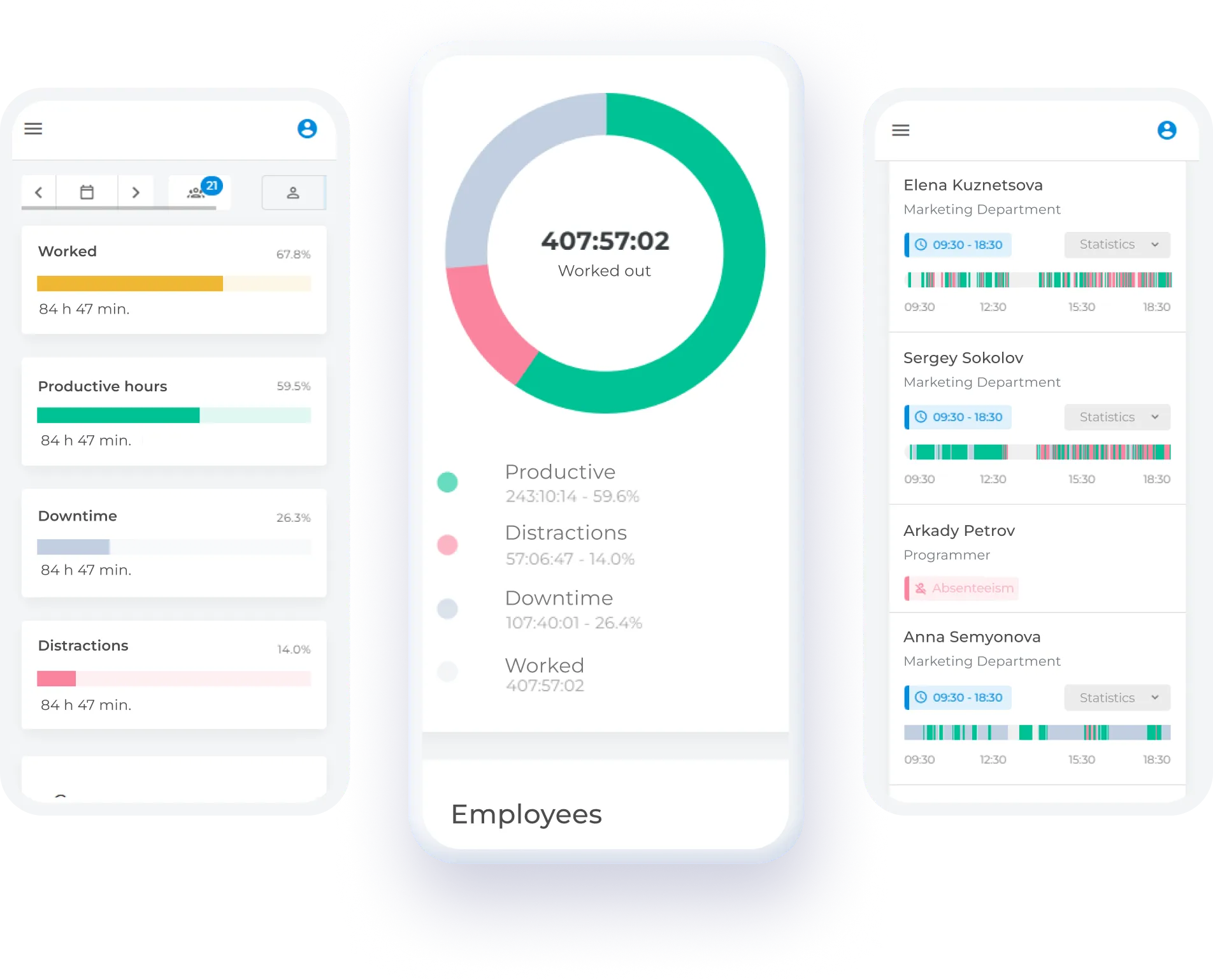
The report provides a detailed timeline of employee activity. See when employees are most and least active, review start and finish times, and compare productive and unproductive activity alongside idle periods throughout the day. An additional pie chart shows the relationship between activities.
Dynamics
Compare productivity patterns by time of day and day of the week to identify recurring increases or declines in activity.
Time
The report displays the total time an employee interacts with a specific website, application, or program.
Applications and Websites
Generates a rating of frequently used applications depending on their status (productive, unproductive).

How to Start Monitoring Employee Performance

01
Create your organizational structure, assign agents to monitored employees and relevant departments, and set application access levels
02
Set up your company work schedule. Specify working hours, start and end times, and break periods. Schedule vacations and business trips (feature is under development)
03
Define productive and unproductive websites for each employee based on their job responsibilities
Start Monitoring Employee Productivity

Benefits of Using INSIDER

In-depth Workflow Analysis
INSIDER provides managers with a clear view of employee productivity. You can evaluate the performance of individual employees and departments, identify top performers, and find areas for improvement.
Improved Employee Productivity
INSIDER helps automate employee activity monitoring, improve information security, and increase overall work productivity by providing better visibility into daily workflows.
Team Climate Analysis
INSIDER helps identify potential issues within the team, understand employee engagement levels, and detect signs of reduced productivity or disengagement.


Get in Touch
Fill out the form and our manager will get back to you shortly.
Your Name *
Phone Number *