Sign Up

Employee Time Tracking

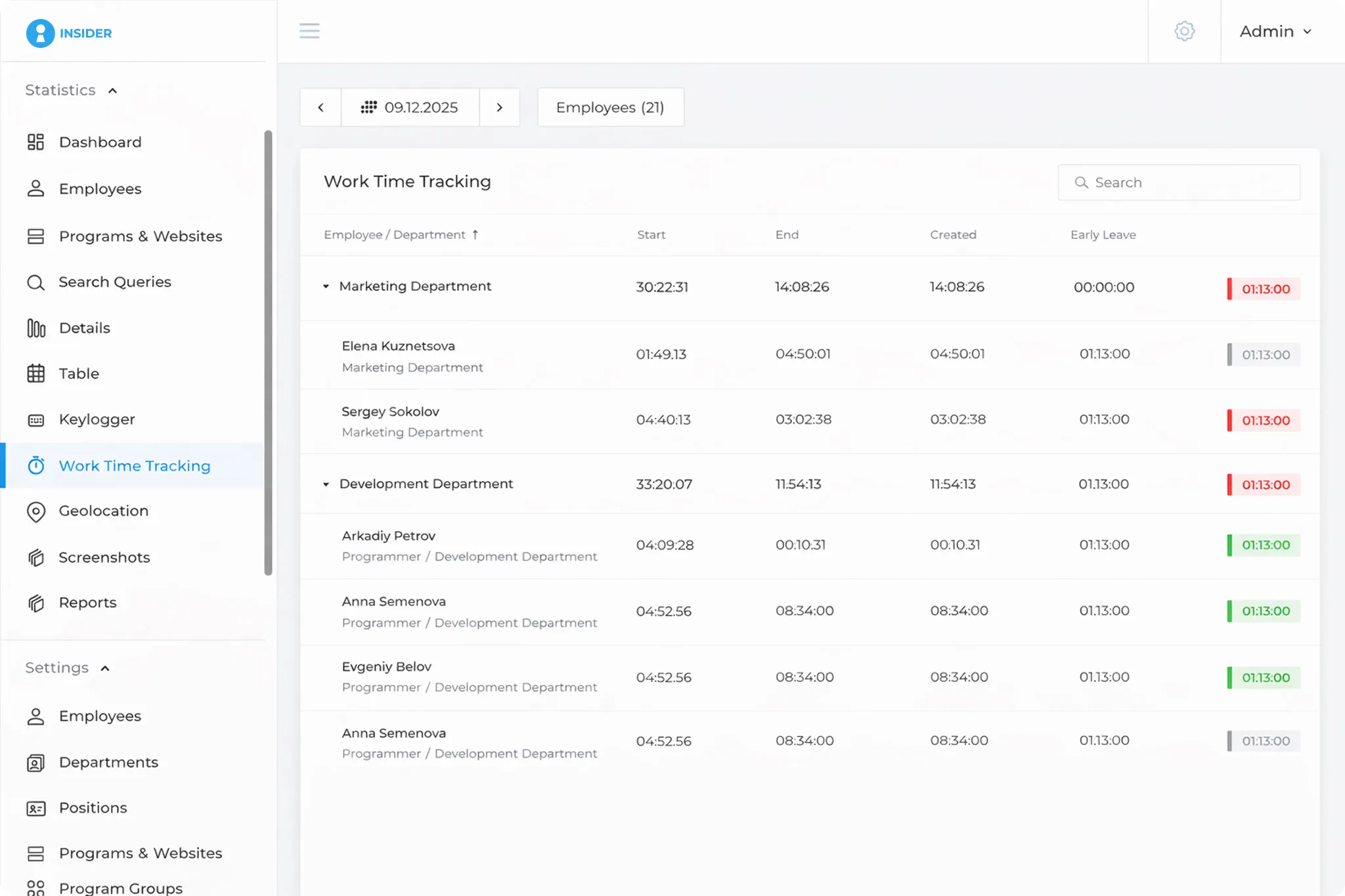
INSIDER tracks start and finish times, total working hours,
late starts, early finishes and idle periods.
Managers can review working-time and productivity reports for any selected period.
Types of INSIDER reports

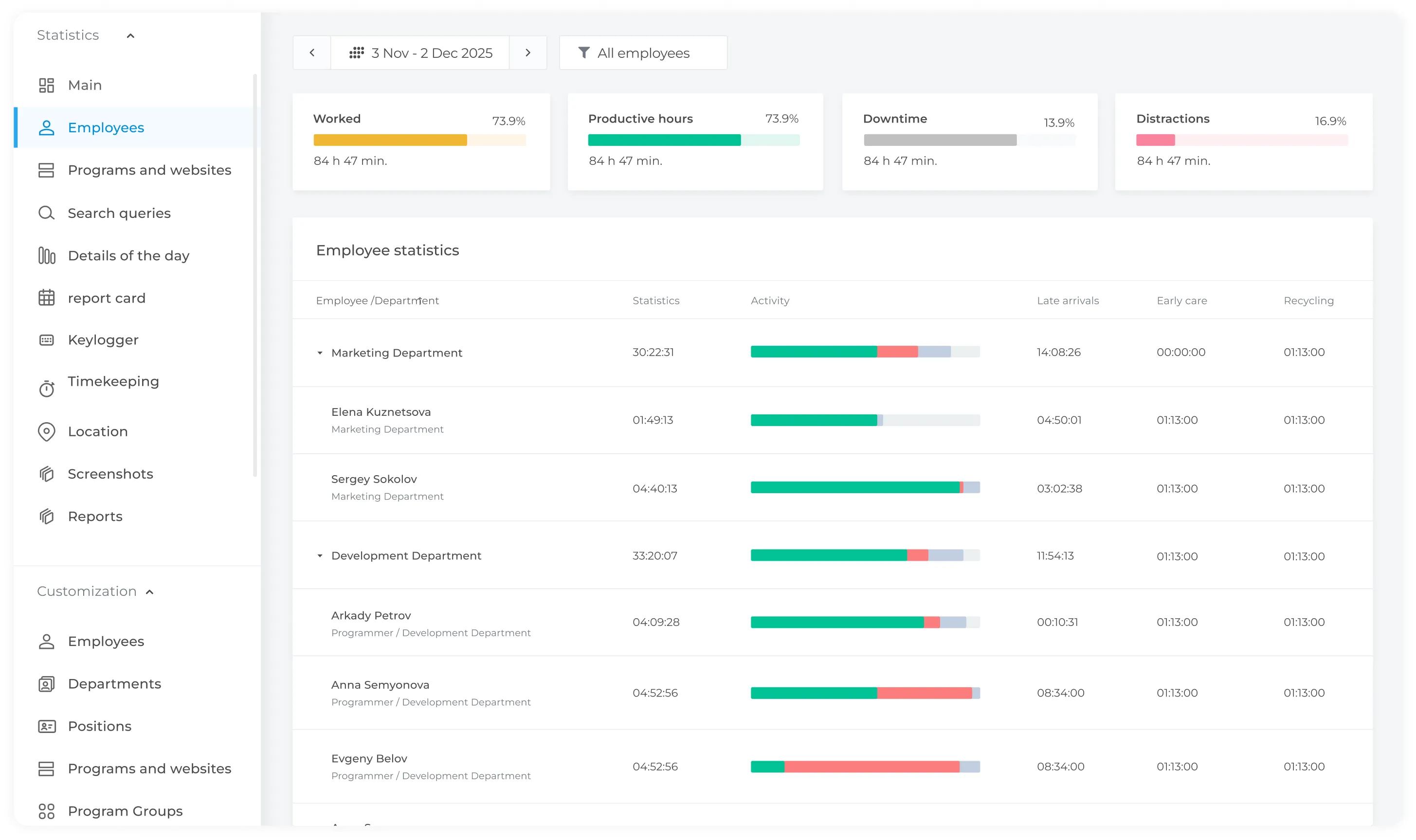
  • Productivity
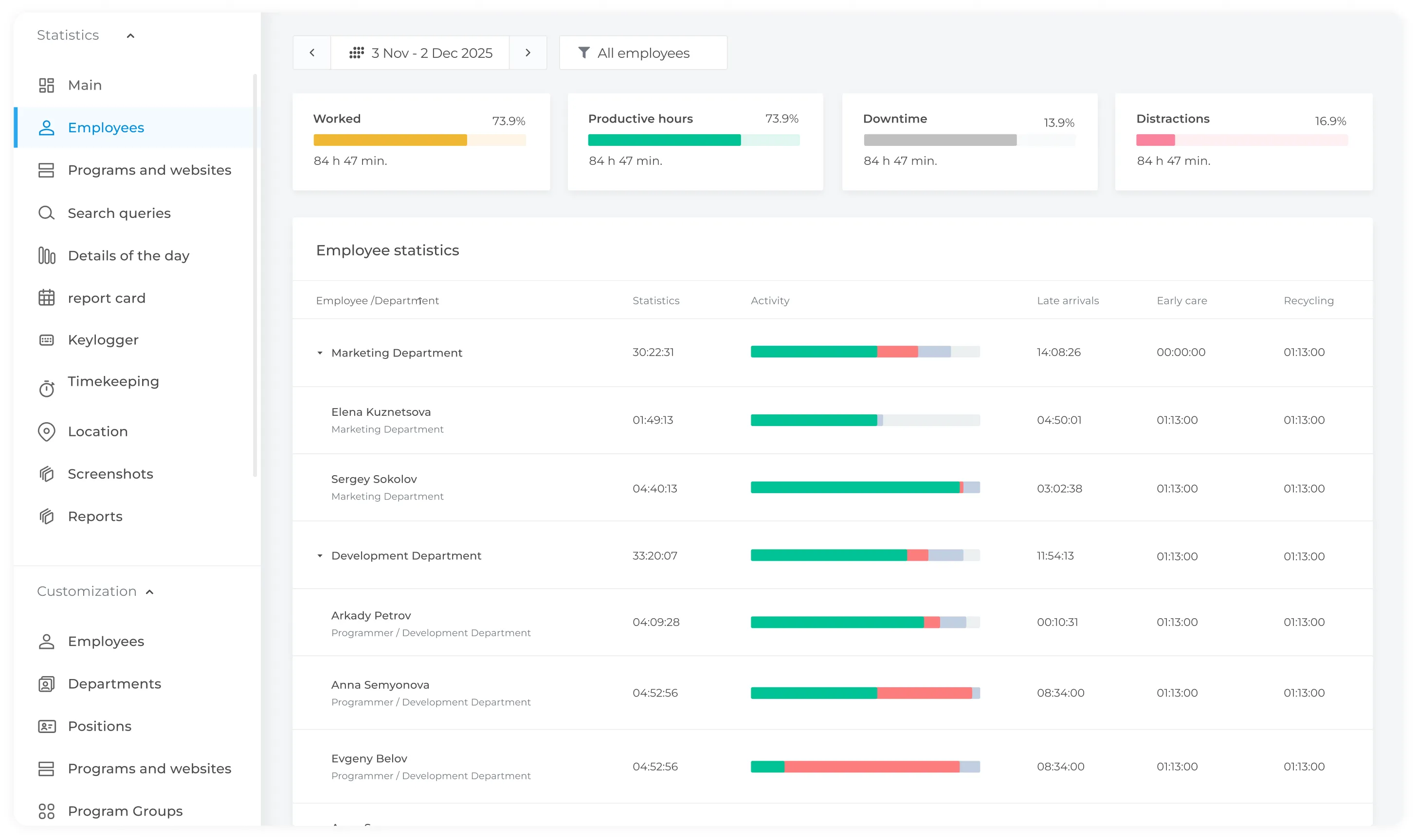
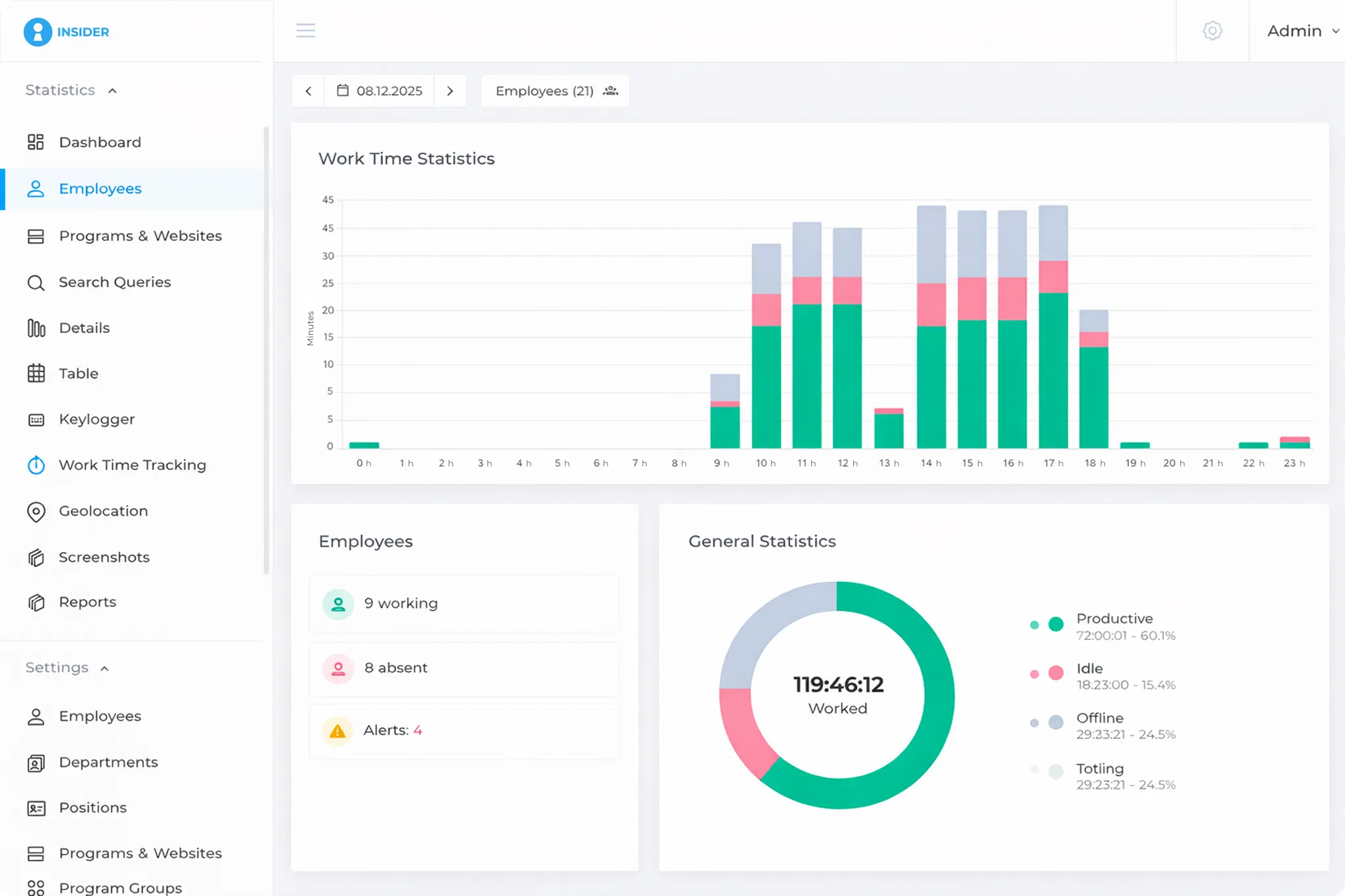
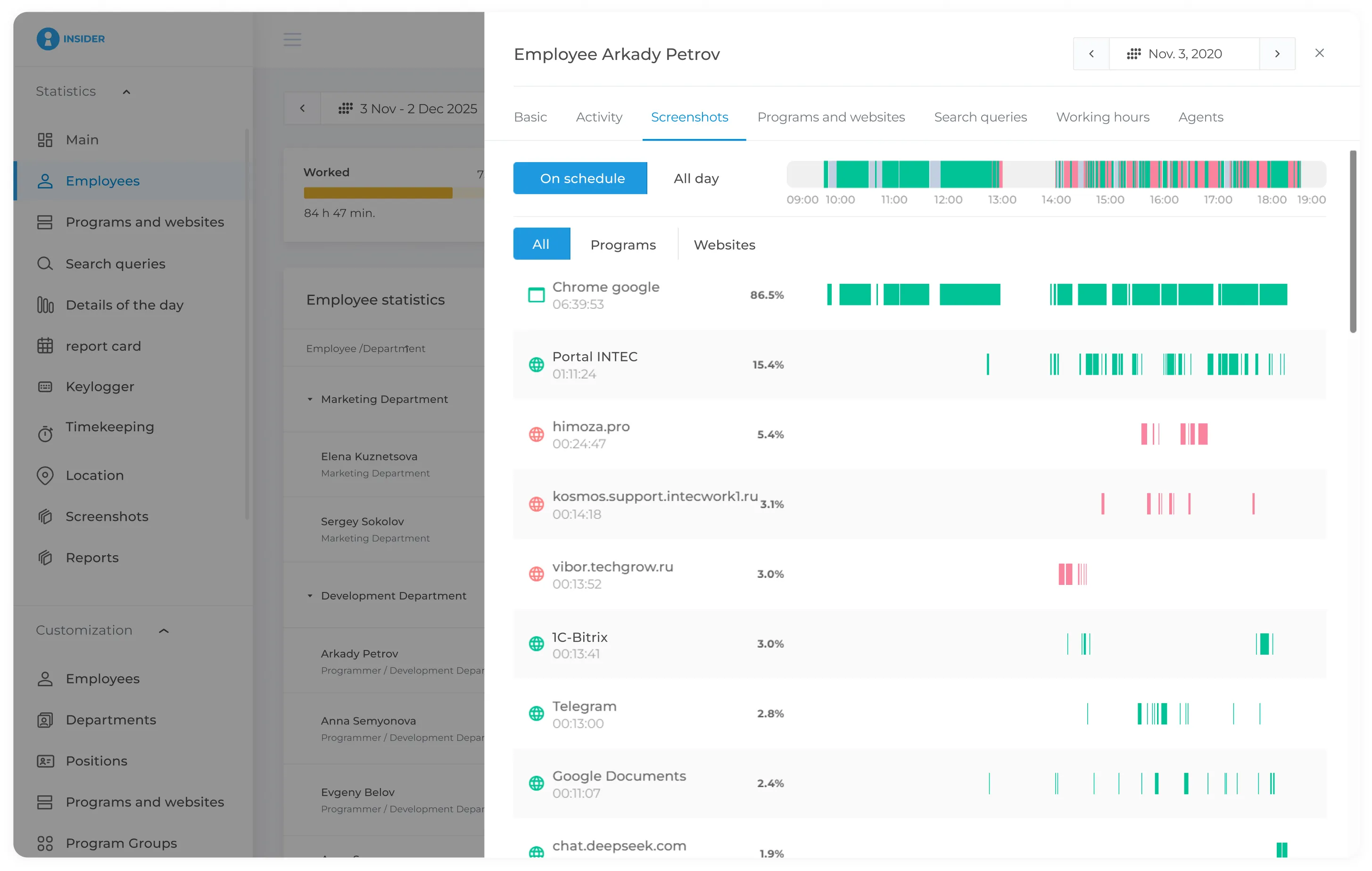
    Compare productive, unproductive, and idle time by employee, team, or department. Review time spent in applications and on websites, along with active and idle periods.
  • Time tracking
    Start and end time of computer work. The program also records lateness, early leaving work, and absenteeism.
  • Dynamics
    You will be able to find out which factors most influence the productivity of the company and manage human resources more effectively.

Performance reports

All applications and websites belong to one of two groups - productive and unproductive. So, for example, working in 1C is productive, watching movies and surfing social networks is unproductive.
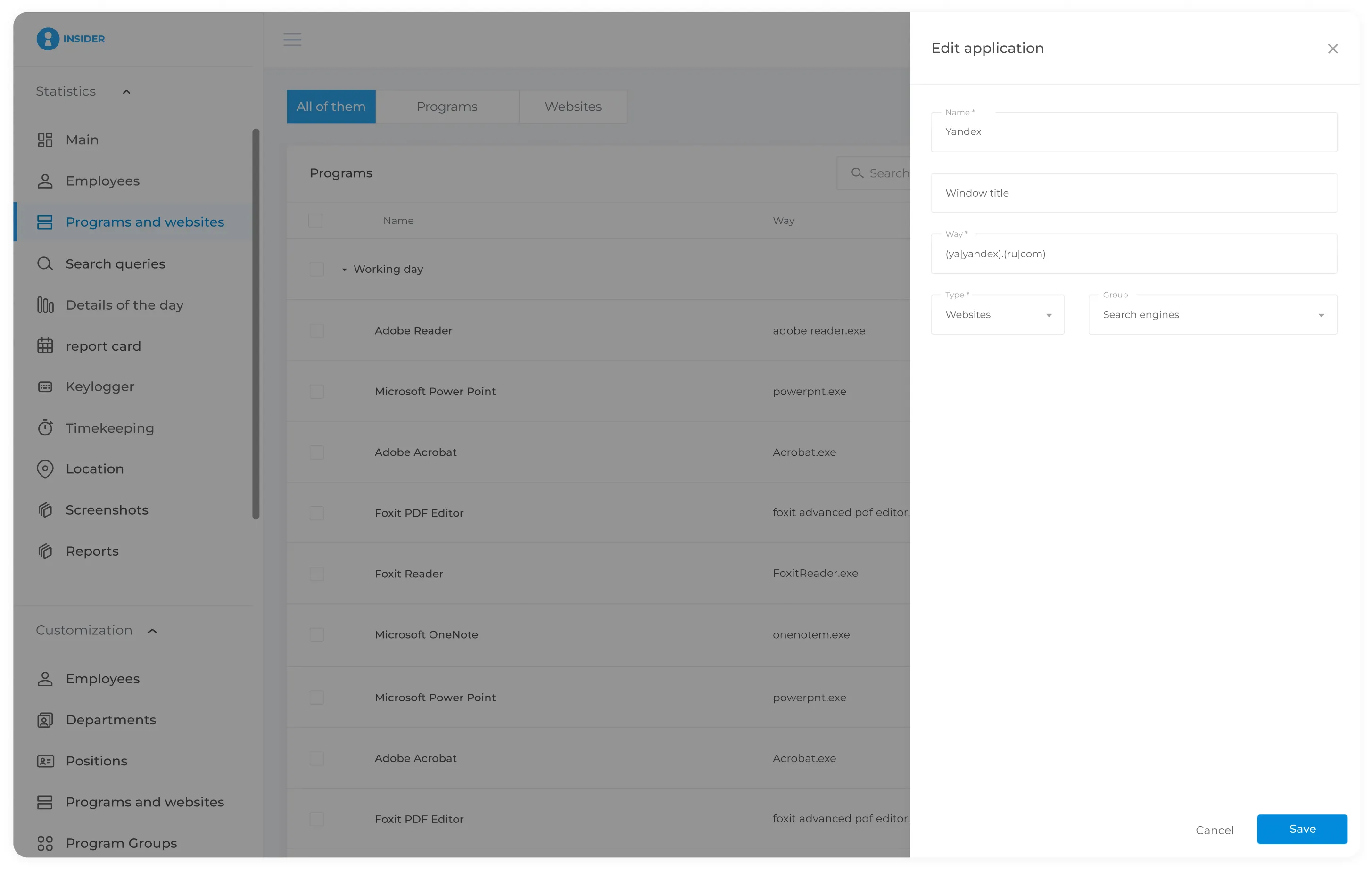
The report displays application usage time according to performance groups. Most applications do not belong to a specific group by default. However, you can customize your own list of productive and unproductive sites and programs for each position and even for an individual person.
For example, social networks may be considered productive activity for a social media manager, while the same websites may be unrelated to an accountant’s work. For an HR specialist, recruitment platforms can be considered productive resources. INSIDER allows companies to configure productivity categories based on business needs and understand how applications and websites are used during working hours.

How INSIDER classifies applications and websites

The whole procedure is extremely simple:
  • Select a site or program profile from the INSIDER primary database, or add a profile manually.
  • After this, you must indicate the employee or position (copywriter, programmer, etc.) for which the site or program will be considered productive or unproductive.
  • If an employee launches a prohibited application, INSIDER will create an incident and notify the manager.

Working time report

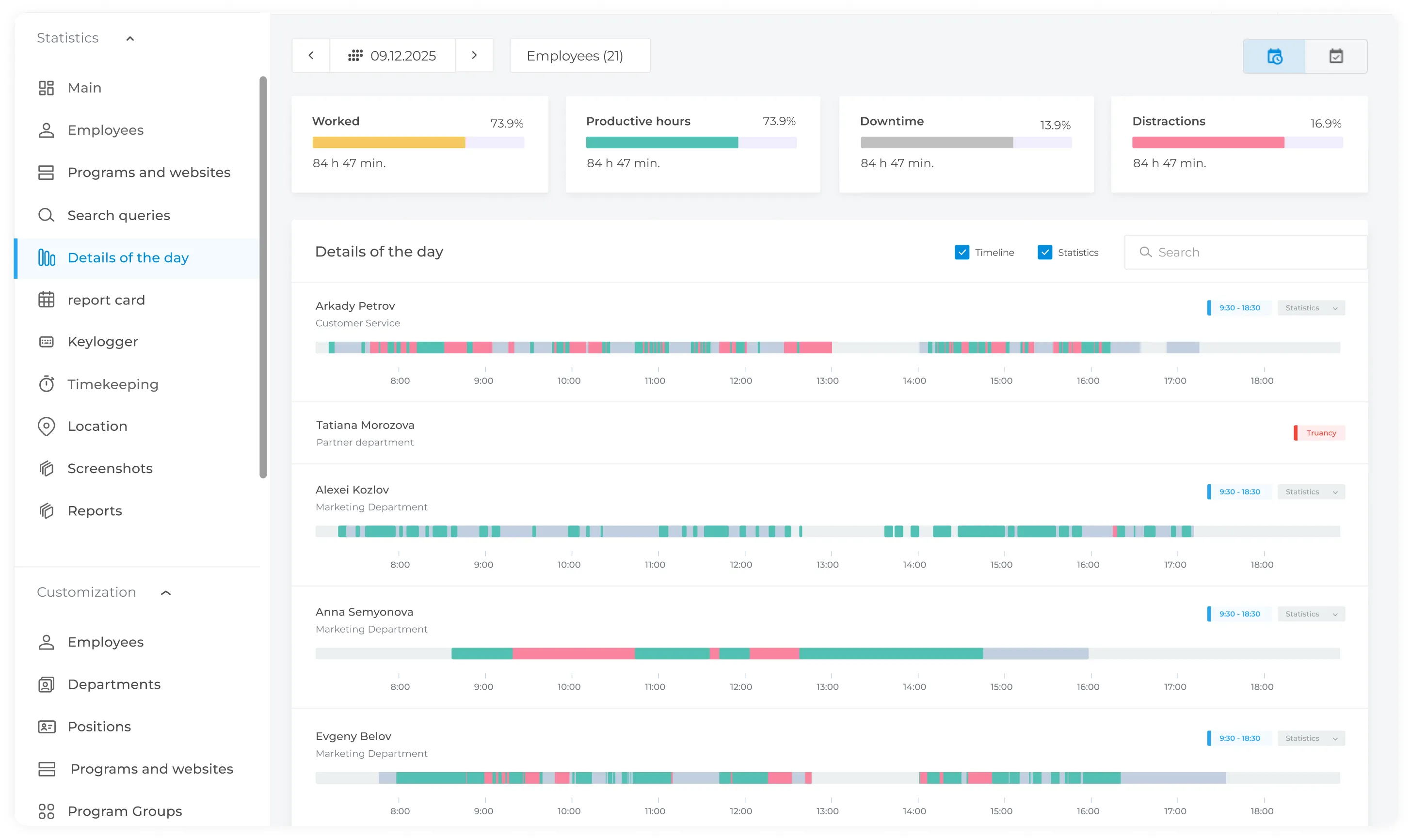
INSIDER allows you to keep track of time worked and shows general information about the working day of a specific employee, and also displays information about deviations from the given schedules - absenteeism, tardiness, early departures and downtime.
The table data can be filtered by late arrivals and early departures. You can display information by day, week, month.
If an employee turns on the computer later than the scheduled time, the delay is recorded in the report. If an employee prematurely stops performing any activities on the computer, early departure is entered into the report. When the computer has not been turned on all day, absenteeism is counted.

Time sheet

The monitoring system automatically generates a work time sheet. Other data - work schedule, vacation, time off, sick leave - can be entered manually. As an example, a shift sheet and employee calendar are shown.

  • The timesheet reflects data on hours worked for each day.
  • The working time report can be compiled for a week or a month.
  • The timesheet contains information on the number of absenteeism and the number of days and hours worked.

Use of work time schedules by employees

Create and manage employee work schedules and compare planned hours with actual hours worked.

  • Customize a work schedule that suits the majority of employees.
  • Create separate schedules for employees who work individually, for example, remotely.
  • The system will take into account employee work schedules in time reports and efficiency.

Productivity Trends Report

  • INSIDER collects information for the work of each employee, this data is used to build a detailed graph of the dynamics of the company's efficiency.
  • A summary summary report allows you to highlight not only the productivity of the company, but also individual employees.
  • You can track statistics for specific period: day, week or month.

How to properly track working hours

When developing the Insider program, we identified the most important points for monitoring the quality of employee work.

  • The ratio of effective work time to time spent on personal matters.
  • Dynamics of work efficiency over a certain period time.
  • Tracking employees and departments with low productivity and identifying the reasons for poor performance.
  • Online monitoring for timely control of the company's work.
Get in Touch
Fill out the form and our manager will get back to you shortly.
Your Name *
Phone Number *