Best DLP Software: What It Is, How to Choose and 10 Tools Compared
- What is DLP? A data loss prevention system explained
- How to choose DLP software for your business
- DLP solutions and alternatives: 10 tools to consider
- Forcepoint DLP — for protection across several data channels
- INSIDER – for employee activity monitoring and incident context
- Netwrix Endpoint Protector — for mixed Windows, macOS and Linux estates
- Safetica — for DLP with employee and incident context
- Microsoft Purview DLP — for businesses already using Microsoft 365
- inDefend Advanced — for combining data protection and employee monitoring
- Seqrite Endpoint Protection Cloud with DLP — for a combined endpoint stack
- Netskope One DLP — for cloud, web and AI-related data movement
- Zscaler DLP — for data protection across a distributed workforce
- Teramind DLP — for detailed activity investigation with enforcement
- How much does DLP cost?
- How to run a DLP test before buying
- DLP software comparison: capabilities and pricing
An employee uploads a client spreadsheet to a personal cloud account. A developer pastes proprietary code into an AI assistant. A contractor copies project documents to a USB drive before a laptop is returned. Each situation involves legitimate access to information—and a decision about what should happen next.
Data loss prevention software helps organisations identify sensitive information and control how it moves. The right product can warn a user, block a transfer or give a security team the evidence needed to investigate. The wrong purchase can leave an important channel uncovered while adding another console to manage.
Protecting business information also means choosing the right level of control for the actual risk. Some organisations need content-aware DLP that can identify sensitive information and prevent prohibited transfers. Others primarily need visibility into employee activity, working patterns and incidents rather than automatic content-based enforcement.
Understanding that distinction can prevent businesses from buying a complex DLP platform when their immediate requirement is monitoring and investigation, or from choosing a monitoring tool when they actually need sensitive-data classification and blocking.
This guide explains how DLP works, what to check before buying and where ten products fit across dedicated DLP, endpoint protection, cloud data security and activity-monitoring use cases. Pricing examples use a consistent 50-person scenario wherever comparable commercial information is available.
Editorial note: This guide is published by INSIDER. The numbered list is an editorial selection organised around different business needs, not a laboratory-tested league table. Features are based on vendor documentation and published customer evidence. Capterra ratings are a snapshot from 15 September 2026; prices and plan information were reviewed for this article on 16 September 2026.
What is DLP? A data loss prevention system explained
DLP stands for data loss prevention. In information security, a DLP system combines policies and technology to identify sensitive information and reduce the risk of confidential data leaks. In simple terms, it helps a business recognise information that needs protection and decide how employees may handle or share it. A policy connects three questions: what data is involved, what someone is doing with it, and what response is appropriate.
For example, a business might allow staff to email ordinary documents externally but block a spreadsheet containing a large set of customer account details. A different rule could allow the same spreadsheet to be shared with an approved partner and require a reason before an exception is granted. Microsoft's DLP overview describes this relationship between sensitive content, conditions and protective actions.
How does a DLP system work?
A typical DLP workflow has four stages:
- Identify information. The system recognises sensitive content using labels, patterns, document fingerprints or other classifiers. OCR can help some products examine text within images.
- Examine the activity. The policy considers the destination, application, user, device and action, such as copying a file or uploading it through a browser.
- Apply a response. Depending on the product and configuration, it may record the event, display a warning, request justification, quarantine content or block the action.
- Support investigation. An incident record helps the administrator understand what happened and decide whether the policy needs adjustment.
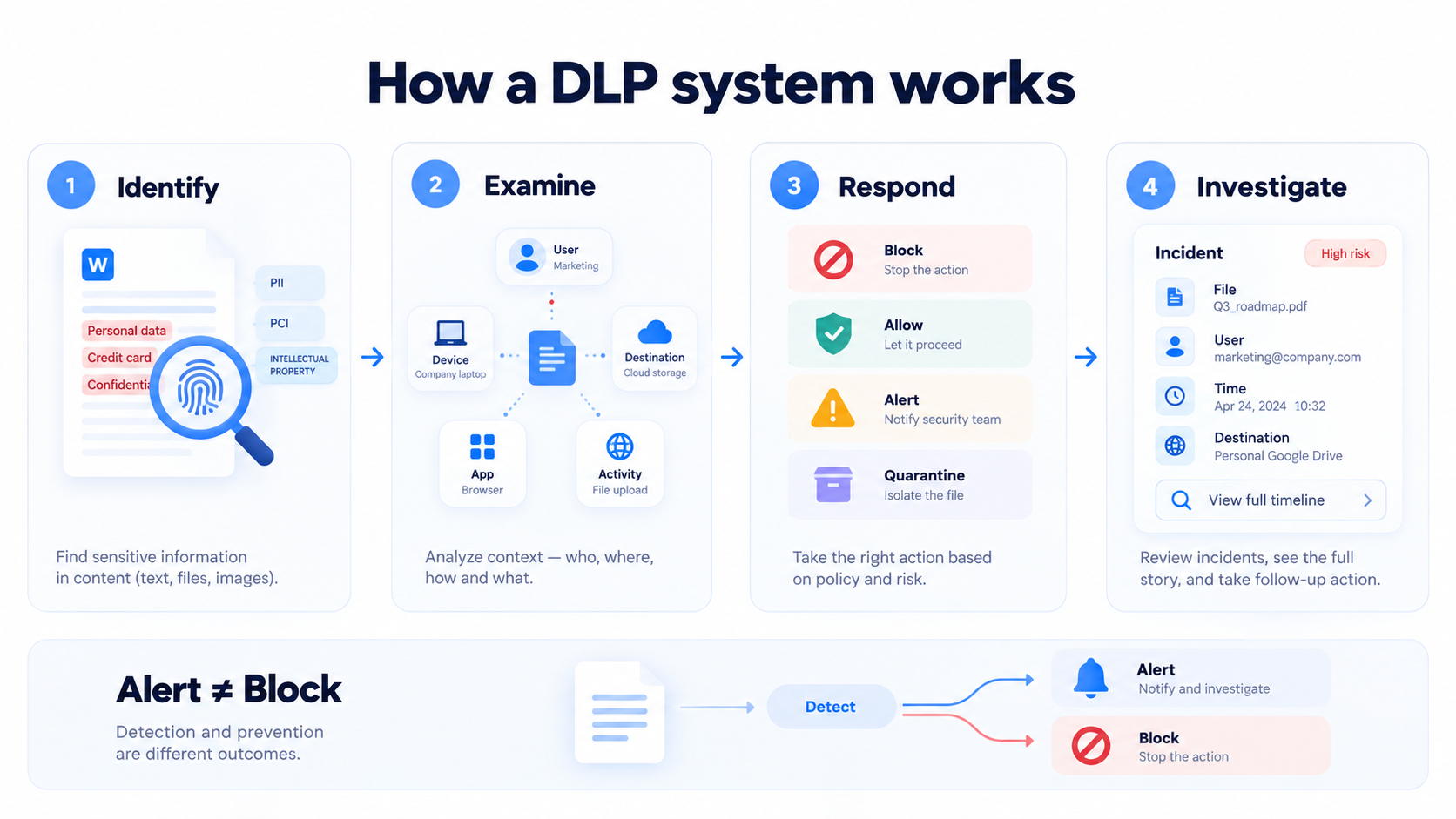
These mechanisms vary by product. Netwrix emphasises endpoint content and device controls, while Netskope applies content and activity context across connected cloud and web services.
Detection and prevention are different outcomes. An alert received after a file has left the organisation is useful evidence, but it does not establish that the transfer was stopped. In a demonstration, ask the supplier to show the exact action your proposed licence can enforce.
Types of DLP systems and what they monitor
Endpoint DLP operates on workstations and laptops. Its agent monitors supported activities on the device, such as USB transfers, printing, clipboard use and uploads from applications.
Network, email and web DLP examines information passing through configured gateways, services or traffic inspection points. Its coverage depends on how traffic reaches those controls.
Cloud DLP protects information in services such as Microsoft 365, Google Workspace and other SaaS applications through supported integrations. Scanning stored files and controlling a live upload are separate capabilities.
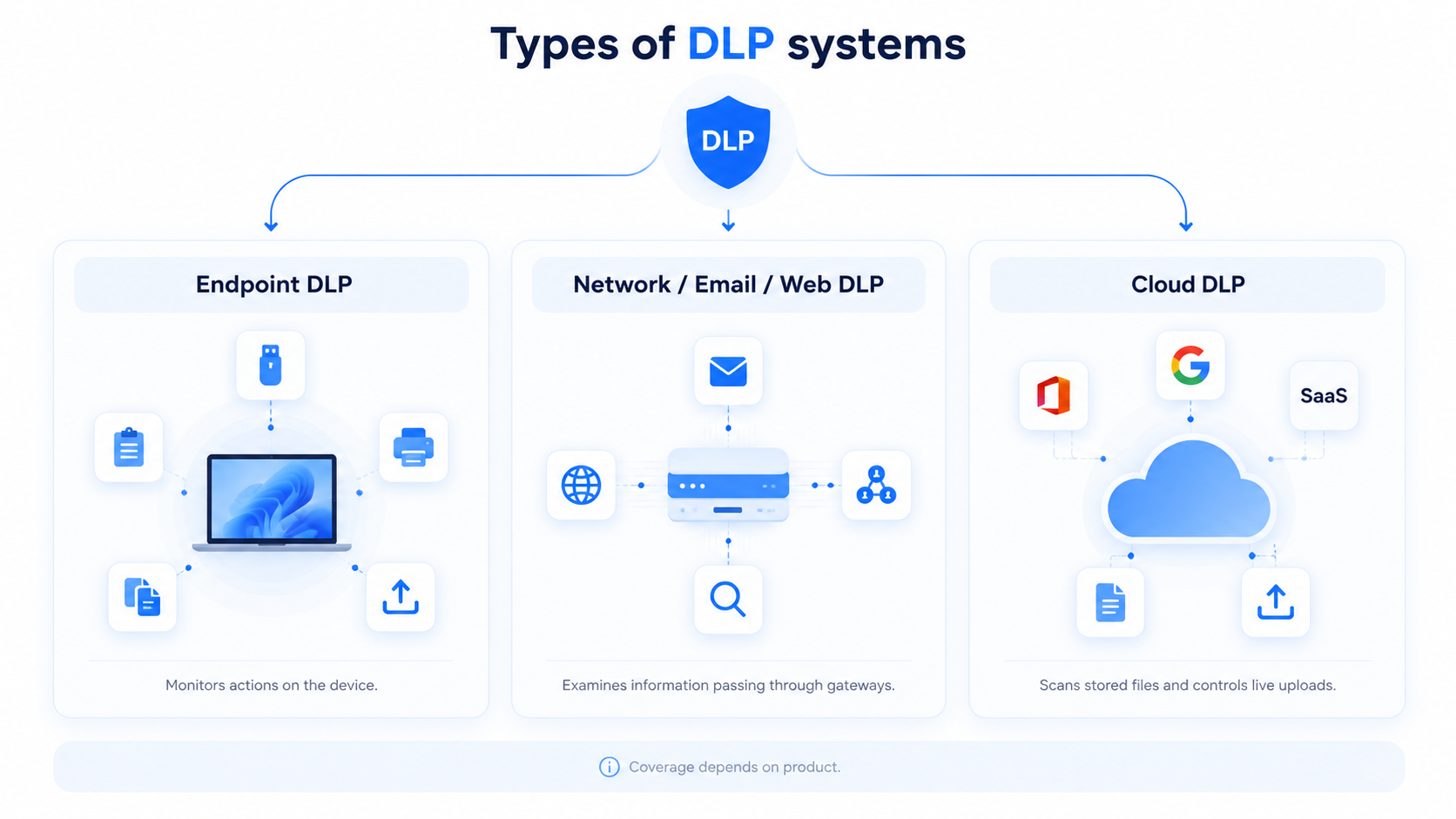
Many products combine these approaches. Trellix's product family, for example, distinguishes endpoint and network components, while Microsoft documents a separate scanner for supported on-premises repositories. A product's DLP label alone does not tell you which locations are covered.
DLP system architecture: agents, servers and cloud services
A useful way to understand the architecture is to ask where policies are managed and where they are enforced:
- A DLP agent runs on an employee's device and monitors or controls supported local actions.
- A management server or cloud console gives administrators a place to configure policies and review incidents.
- Gateways and service integrations extend coverage to the email, web or cloud channels included in the deployment.
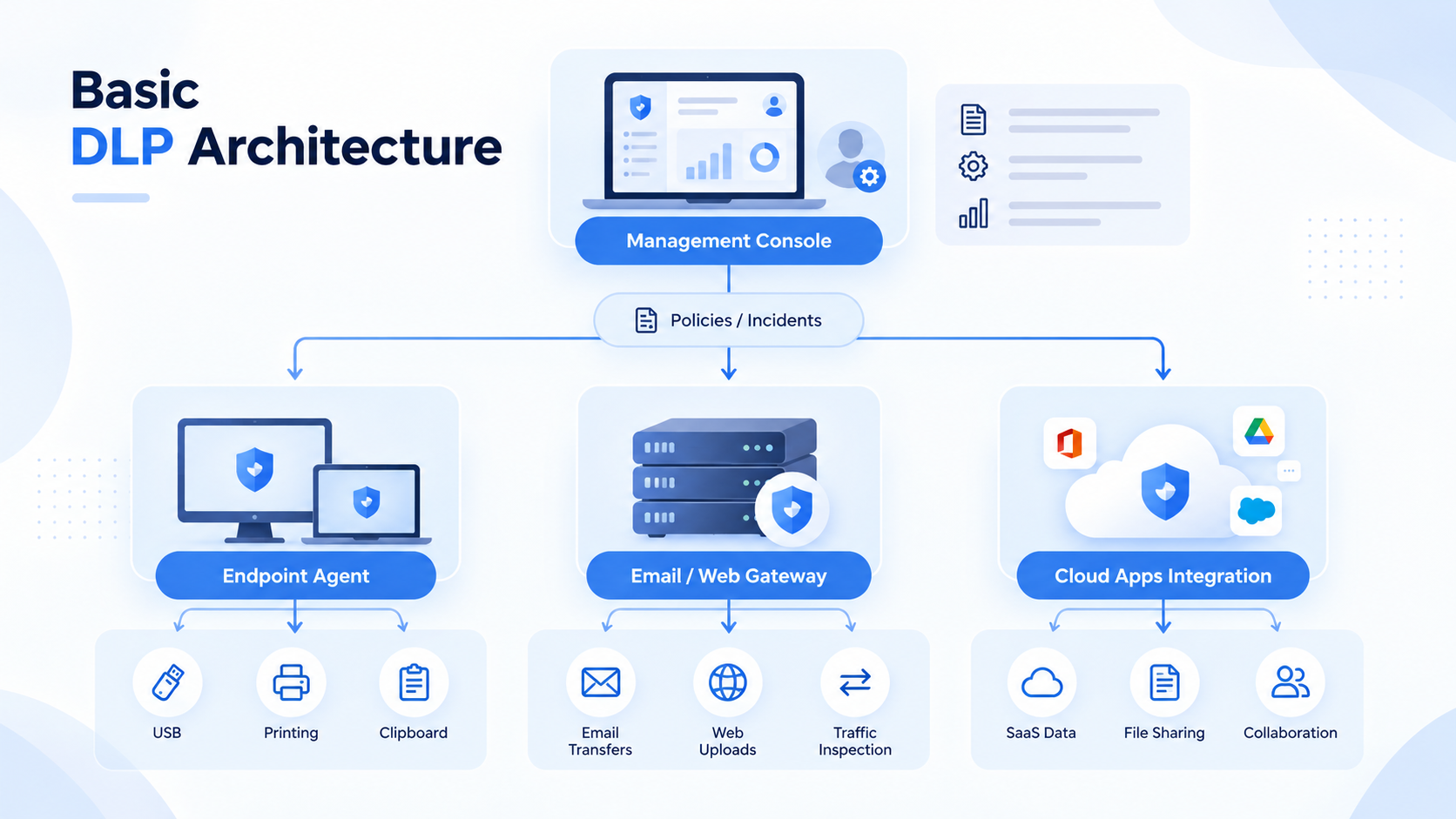
For example, Forcepoint's deployment overview distinguishes management servers, endpoint clients and network components. Ask each supplier which parts you must host, which need agents and what happens when a device disconnects. This makes the proposed architecture easier to assess against your available IT resources.
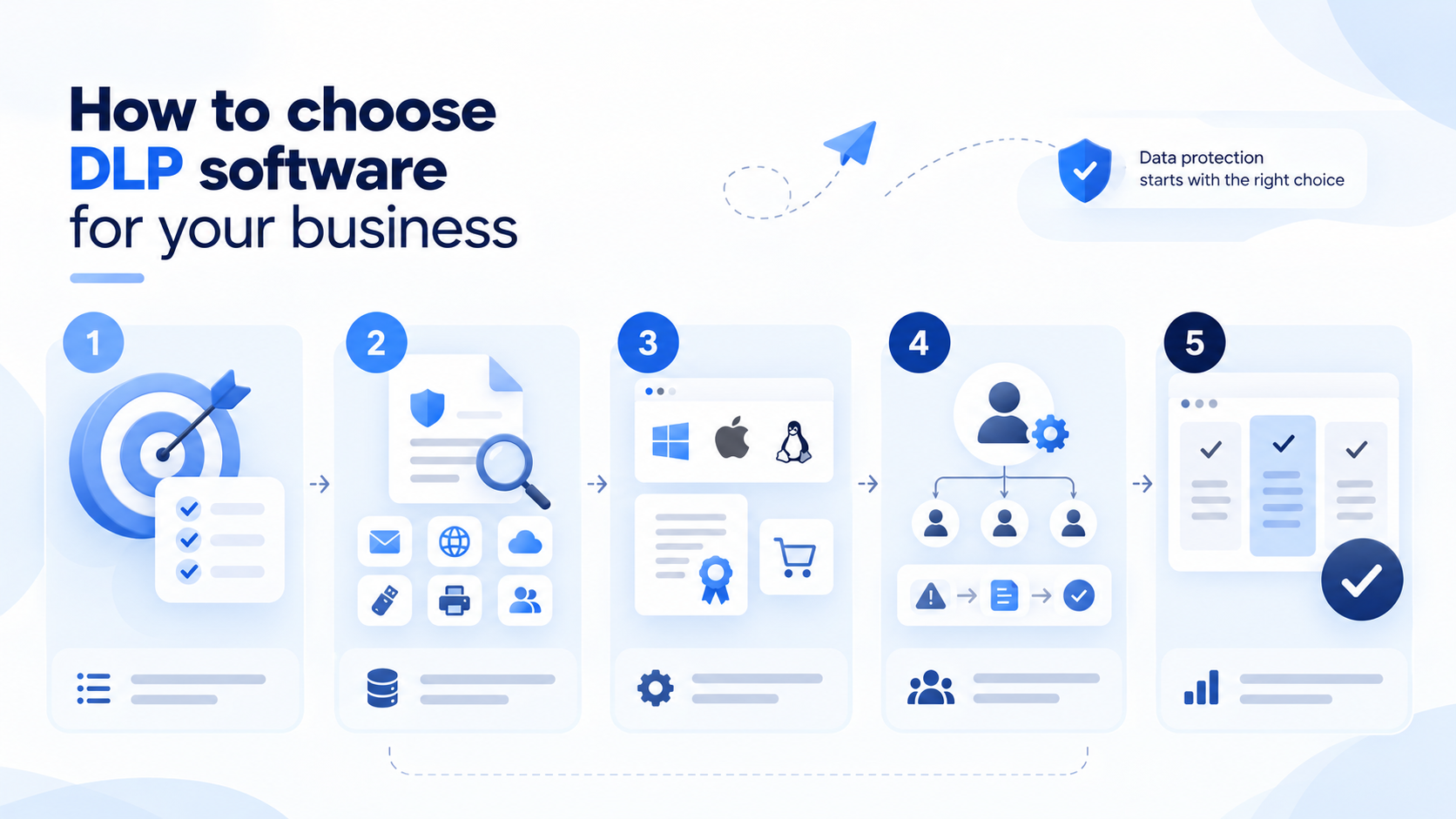
How to choose DLP software for your business
Start with a short list of situations you need to control. “Protect our data” is too broad to test; “stop customer records being uploaded from company laptops to personal storage” is specific enough for a pilot.
Define the information and the channels
List the documents and records that would cause a real problem if disclosed: customer exports, employee personal data, financial information, source code, designs or commercially sensitive proposals. Then list where they move—email, browsers, SaaS, removable media, printers and collaboration tools.
When evaluating data protection software, use synthetic examples of the personal records and confidential documents your business handles. A tool recognising a standard card-number pattern has not yet proved that it can recognise your confidential engineering document.
Check the exact licence and operating system
Treat the edition name as part of the product name. Endpoint protection, device control and content-aware DLP may be separate purchases. Seqrite's Cloud edition matrix is a useful example: it lists DLP as an add-on for relevant editions.
Also verify each operating system and application. A vendor may supply agents for Windows, macOS and Linux while offering different controls on each. Test the browser, email client and file type that your employees actually use.
Decide who will run it
An alert needs an owner. Before buying, decide who will review incidents, authorise exceptions, adjust rules and maintain agents. When comparing DLP services, ask which of these responsibilities the supplier will take on. A small IT team may prefer fewer initial policies and a focused scope; a larger security team may need integration with its existing incident workflow.
For an owner-managed business, everyday usefulness matters too. INSIDER brings application and website reports, working-time records and incident context into one service. When these are your immediate requirements, its Cloud option offers a focused starting point without a dedicated application server, with the option to introduce monitoring in stages.
For local deployment, account for the server, storage, backup and updates. Cloud deployment changes those responsibilities but still requires careful choices about collection, retention and administrator access.
Compare the whole purchase
Ask for the base subscription, DLP modules, minimum seat count, support and implementation charges together. If you already own a qualifying security suite, an add-on may make commercial sense. If you do not, the underlying subscription belongs in the comparison.
Finally, evaluate the employee experience. Useful prompts explain the action being restricted and the approved alternative. Excessive blocking can encourage workarounds; a sensible exception process helps people complete legitimate work.
DLP solutions and alternatives: 10 tools to consider
The selection below includes DLP vendors offering broad enterprise coverage, options for existing software ecosystems and monitoring tools suited to smaller operational teams. Published deployments and user reports informed the shortlist, but a customer case is not evidence of market leadership or a guarantee of current deployment size.
Forcepoint DLP — for protection across several data channels
Category: Dedicated enterprise DLP. Official website: Forcepoint DLP. Capterra: Forcepoint DLP — 4.5/5 from 17 reviews.
Overview and best fit. Forcepoint belongs on the shortlist when the requirement spans several channels rather than one narrow endpoint task. It is relevant to organisations that want a consistent policy approach for sensitive information moving through workstations, email, web traffic and cloud services.
Key features
- Content classification and recognition of sensitive information.
- OCR-supported inspection for relevant content types.
- Endpoint and device-related controls.
- Email, web and cloud protection through the appropriate components.
- Risk-sensitive policy enforcement.
- Centralised incident investigation and reporting.
What stands out. Its main appeal is the ability to develop policies around the information being protected and apply them across a broader environment. Forcepoint's Khaitan & Co case provides a named legal-sector deployment, while ReBIT's 2025 renewal document provides evidence of an existing installation. Neither establishes a market-share ranking.
Advantages
- A broad starting point for organisations with several sensitive-data channels.
- Central policy management can help avoid separate rules for each team.
- Published implementation services provide a route for more complex deployments.
Limitations. The complete set of capabilities does not necessarily come in one base licence. Channel components, integrations and implementation services need to be specified in the proposal. The vendor's implementation packages also make it clear that deployment scope matters. A small business with one immediate control requirement should establish the operational effort before committing.
Pricing. Custom quote. Ask for a proposal covering 50 users, 50 devices and the exact endpoint, email and cloud components required. A generic per-seat figure without that scope would not be comparable.
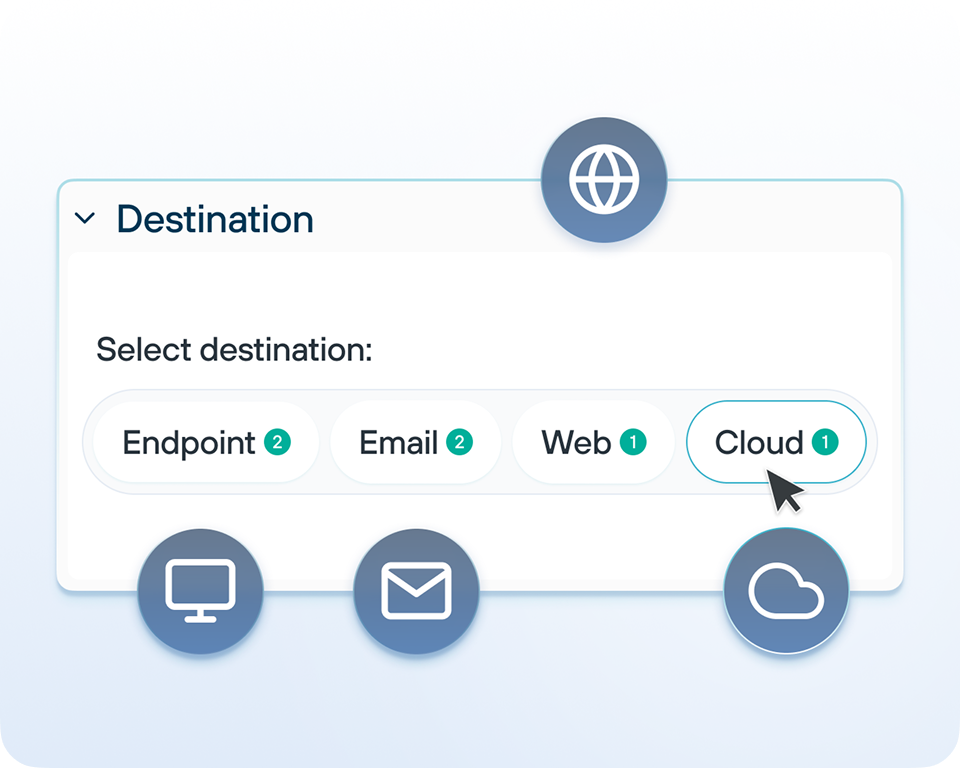
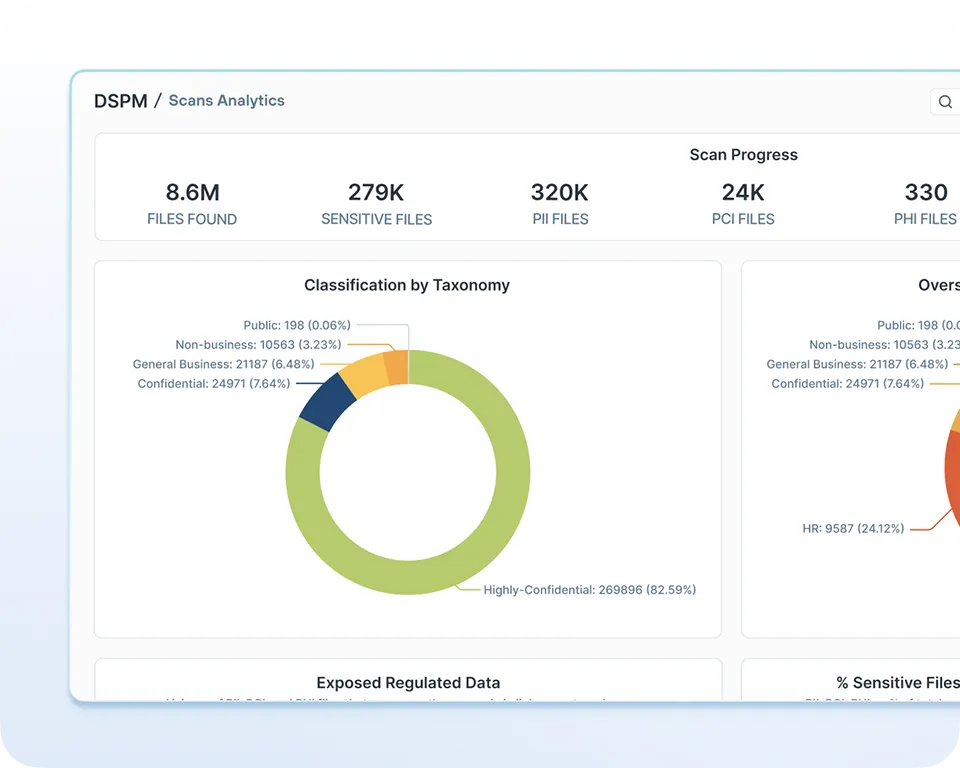
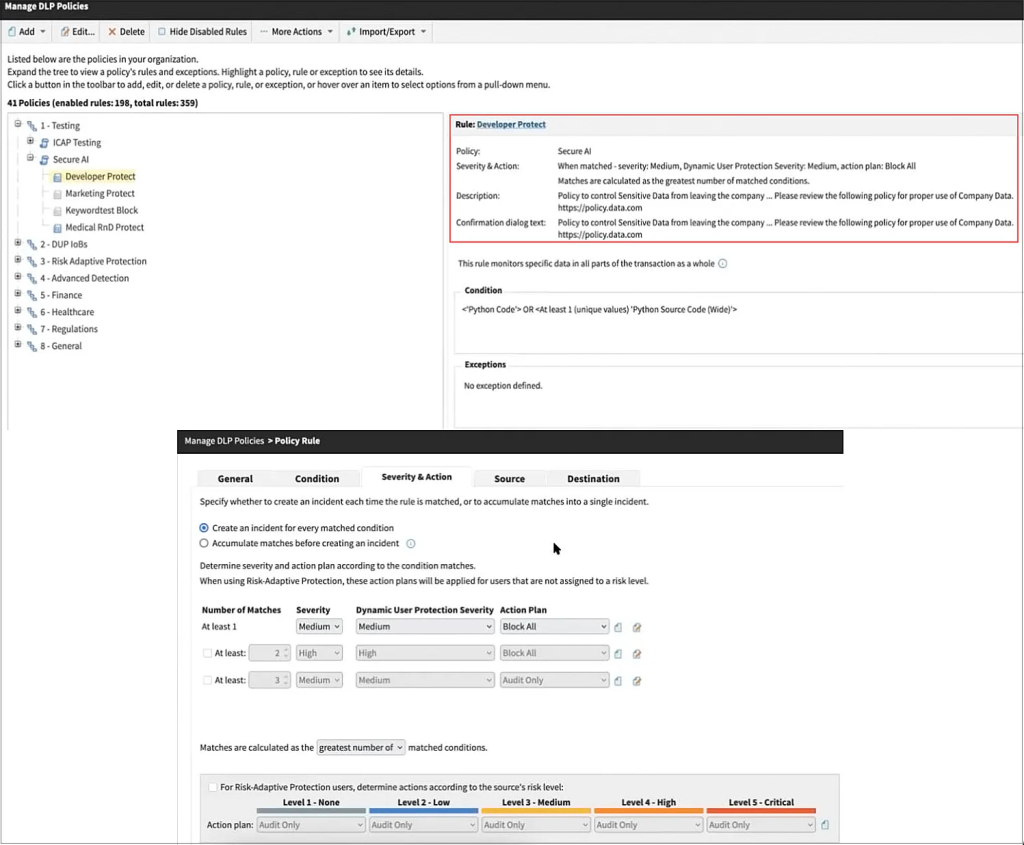
Interface image: Forcepoint's DLP dashboard. Source.
Takeaway: Consider Forcepoint when consistent controls across several channels matter more than solving a single endpoint task.
INSIDER – for employee activity monitoring and incident context
Category: Employee activity monitoring and incident investigation. Official website: INSIDER. Capterra: No matching listing for this specific product was verified.
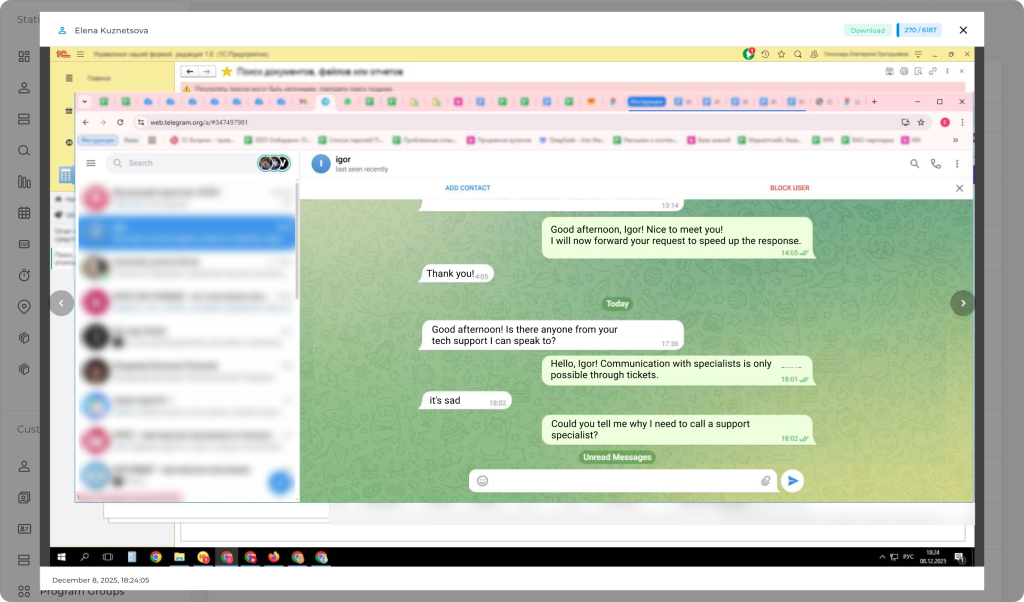
Overview and best fit. INSIDER is not a full content-aware DLP platform. It is relevant when the primary requirement is visibility into employee activity, working-time patterns and the context surrounding internal incidents.
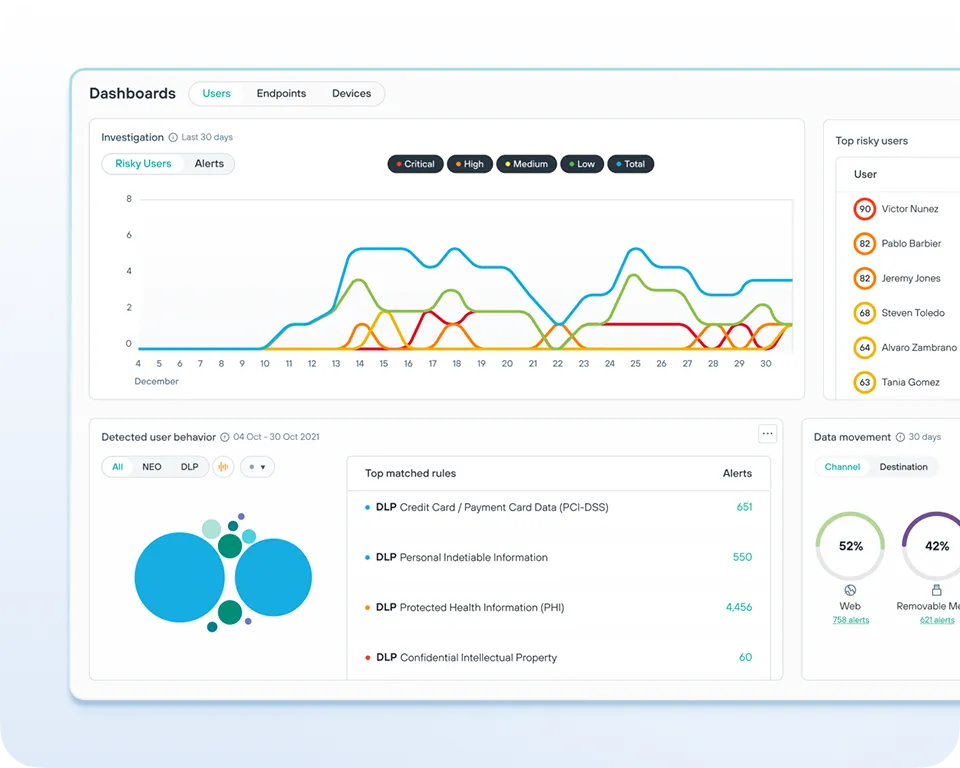
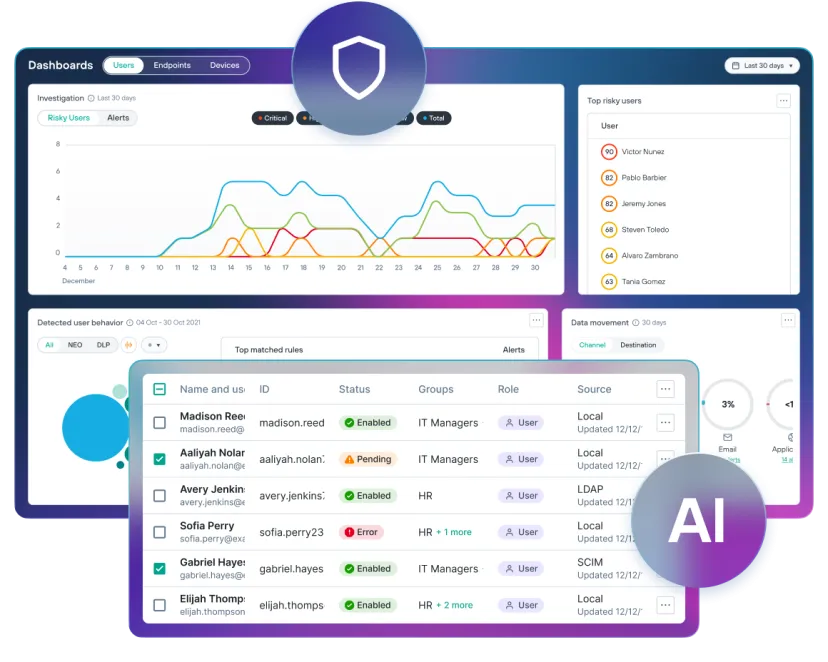
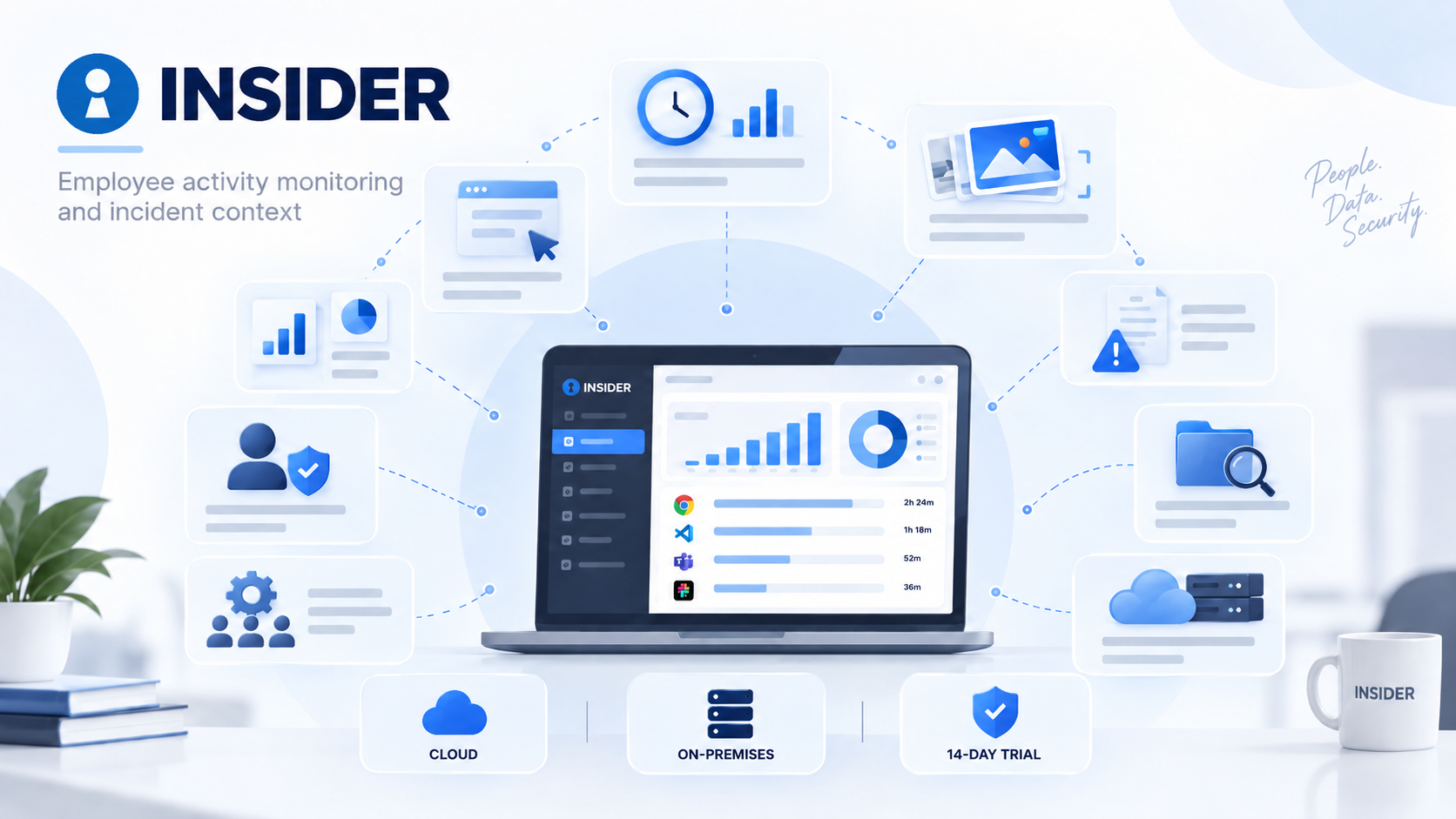
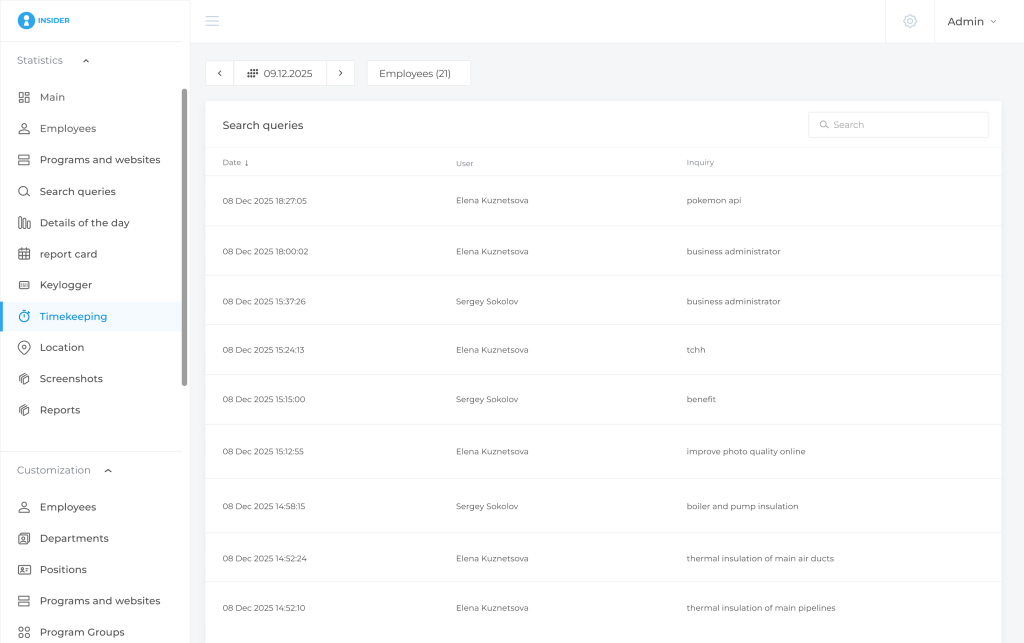
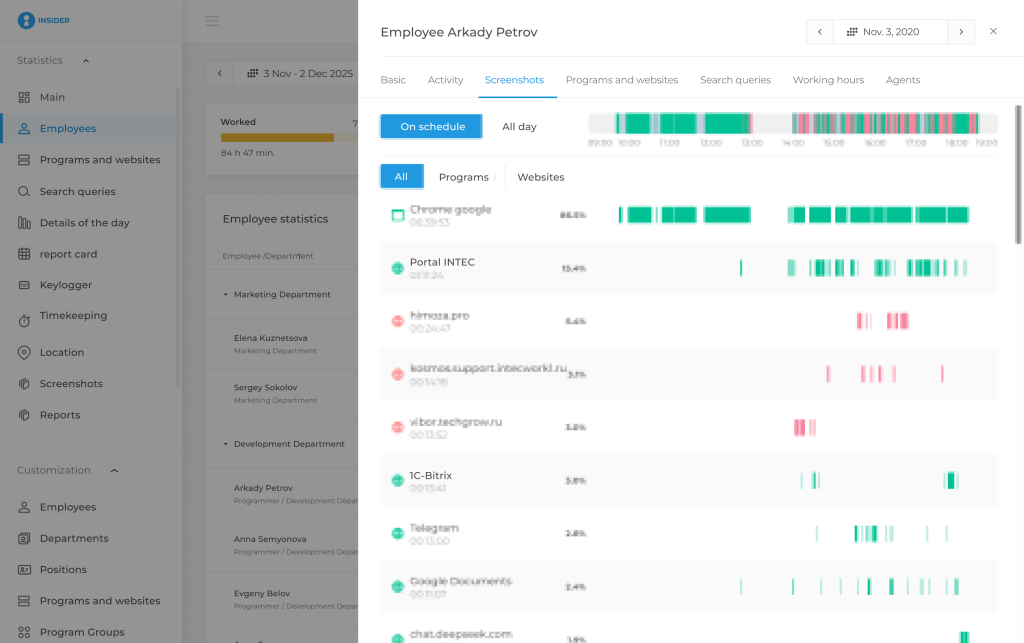
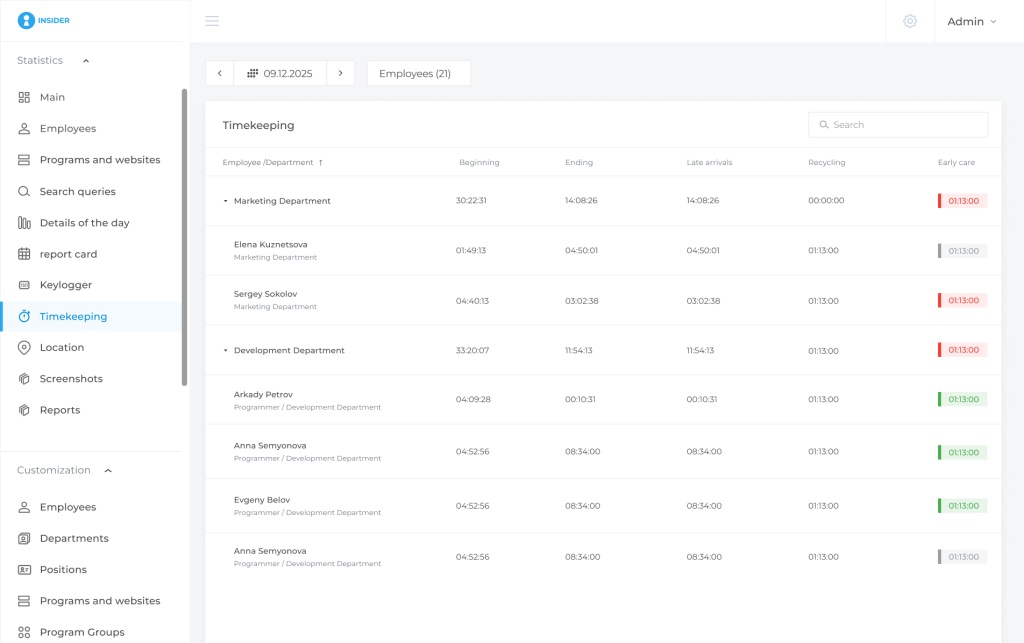
The platform combines application and website activity, screenshots, working-time records, incident reports, access controls and administrative audit capabilities. This can help managers and authorised investigators reconstruct what happened during a particular period without introducing a full DLP stack.
Key features
- Application and website activity reports.
- Working-time records, attendance patterns and overtime.
- Screenshots and activity history.
- Rule-based incidents.
- Employee-level investigation context.
- Team and organisational reporting.
- Access permissions and administrative audit.
- Cloud and on-premises deployment options.
What stands out. INSIDER can be a practical option when the organisation needs monitoring and investigation rather than content classification and automatic prevention. The same data can also support everyday operational analysis, including working-time and activity reporting.
Advantages
- Cloud pricing of ₹237 per user per month.
- Cloud and customer-hosted on-premises deployment.
- Working-time analytics and activity monitoring in the same platform.
- 14-day trial for evaluation.
- Annual and perpetual on-premises licensing options.
Pricing plan
| On-premises annual | ₹1,840/year — equivalent to approximately ₹153.33/month | ₹92,000/year |
|---|---|---|
| On-premises perpetual | ₹3,680 one-time | ₹184,000 one-time |
| Plan | Price per user | Licence budget for 50 users |
| Cloud | ₹237/month | ₹142,200 for 12 months |
Limitations. INSIDER should not be treated as a replacement for dedicated DLP where the requirement is to classify sensitive content and automatically block prohibited transfers across USB, email, web or cloud channels. Keylogging is available only in supported on-premises configurations.
Takeaway: Consider INSIDER when employee activity visibility and incident investigation are the primary requirements. If content-aware prevention is mandatory, evaluate it alongside or instead of a dedicated DLP platform.
Netwrix Endpoint Protector — for mixed Windows, macOS and Linux estates
Category: Endpoint DLP and device control. Official website: Netwrix Endpoint Protector. Capterra: Endpoint Protector — 4.3/5 from 9 reviews.
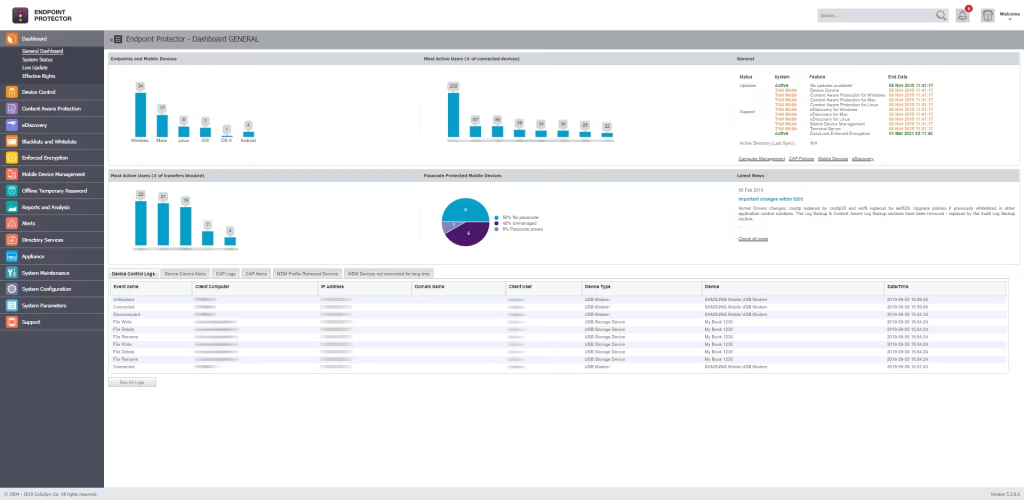
Overview and best fit. Endpoint Protector is worth considering when sensitive files live on a mixture of employee devices. Its endpoint focus is especially relevant to teams handling designs, source files or other intellectual property that can be copied through local applications and removable media.
Key features
- Content-aware controls for file transfers.
- USB, peripheral and port management.
- Sensitive-data discovery on endpoints.
- Policies for supported applications and destinations.
- Controls that continue to operate outside the office network.
- Enforced USB encryption in the relevant configuration.
What stands out. Support for Windows, macOS and Linux makes the product relevant to mixed estates. The JFE Engineering India case specifically describes Device Control and Content Aware Protection, which is useful evidence for an engineering-document scenario. The case does not provide a reliable current deployment date or active-user total.
Advantages
- Combines content-aware protection with detailed device controls.
- Addresses employees working outside the office network.
- Offers several hosting approaches for different IT arrangements.
Limitations. An endpoint product should not be assumed to provide every form of server-side SaaS scanning. Confirm your applications, file types and chosen deployment on a pilot. Also distinguish the required modules from the complete product family rather than assuming encryption, discovery and all integrations are bundled together.
Pricing. Custom quote. Request a breakdown for 50 protected devices, including Content Aware Protection, Device Control and any required discovery or encryption modules. Specify whether the proposal covers SaaS, a virtual appliance or your own hosted infrastructure.
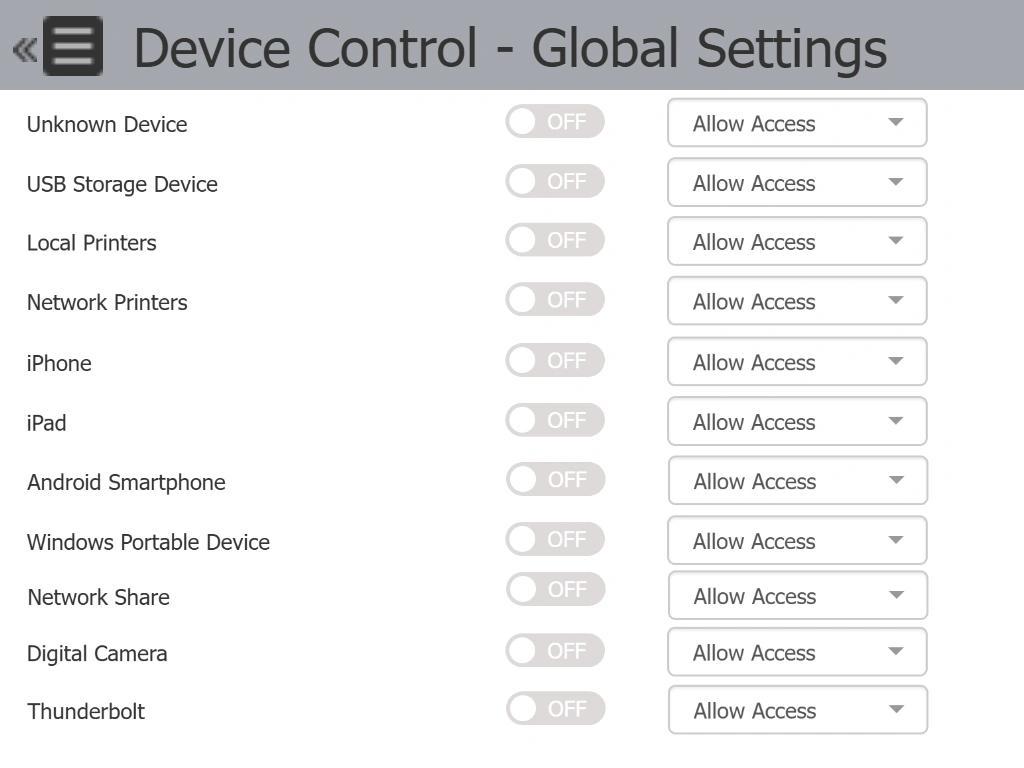
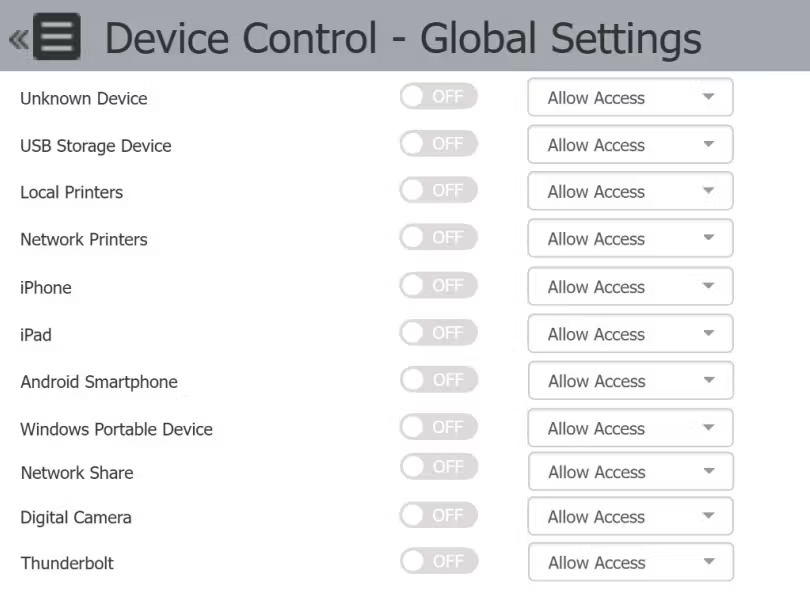
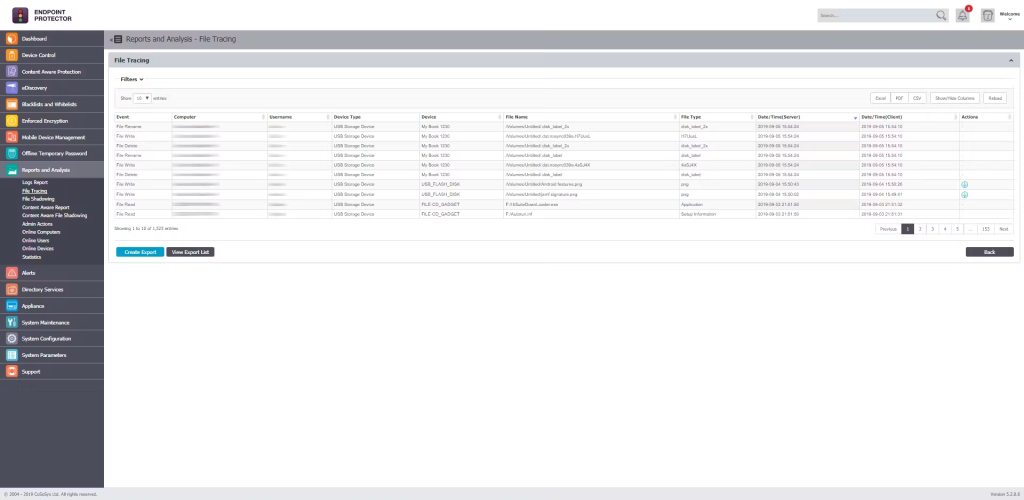
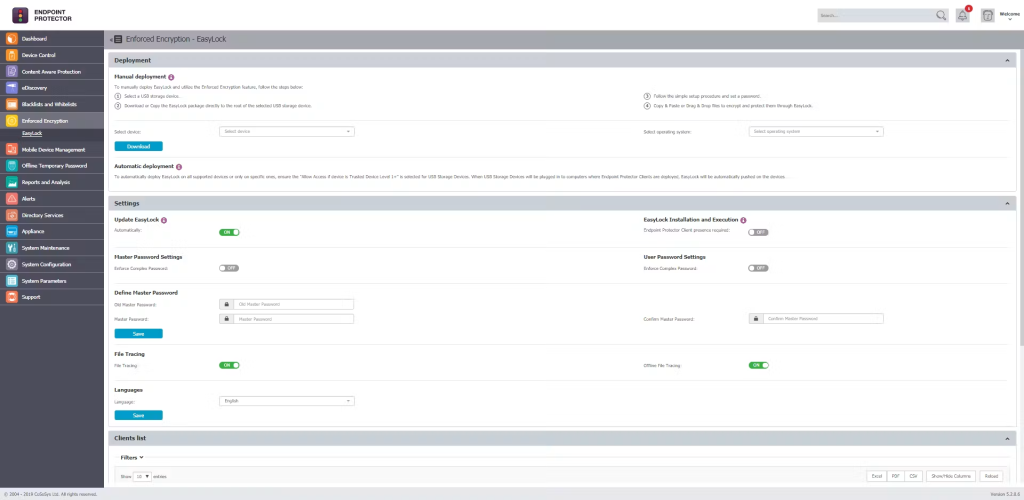
Vendor image illustrating device and port control. Source.
Takeaway: Consider Endpoint Protector when the endpoint is your main control point and your employees use more than one operating system.
Safetica — for DLP with employee and incident context
Category: DLP and insider-risk management. Official website: Safetica. Capterra: Safetica — 4.7/5 from 141 reviews.
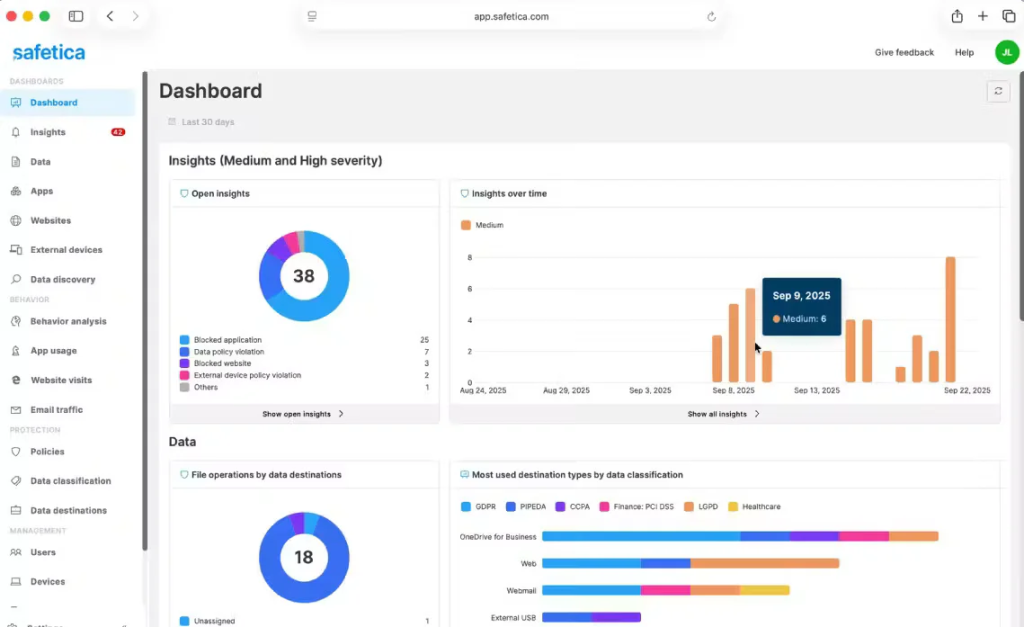
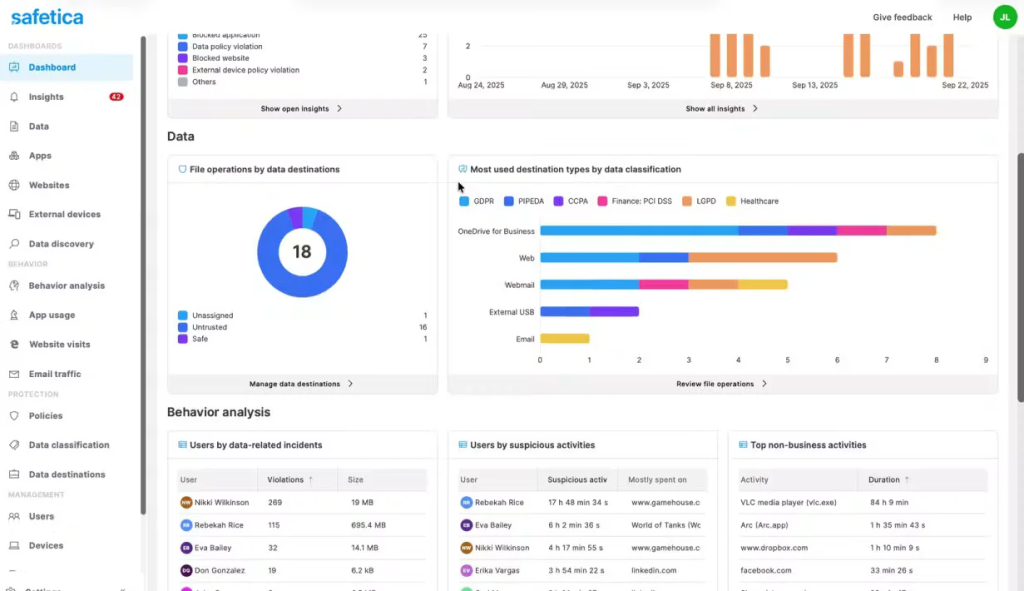
Overview and best fit. Safetica combines data protection with information about user activity. That is useful when an administrator needs both a rule about what can leave the business and context for judging an incident. Its current cloud platform has several tiers, alongside a separate on-premises offering.
Key features
- Sensitive-data classification and discovery.
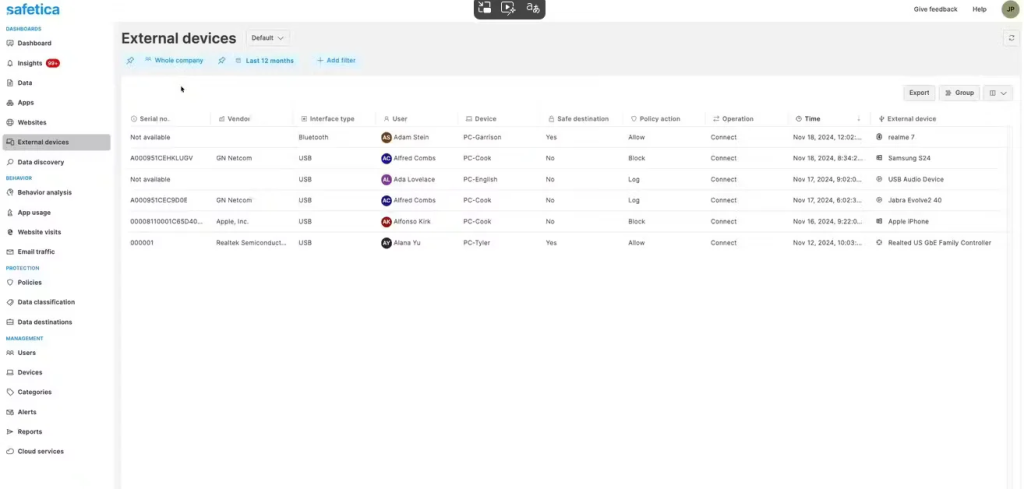
- Policies for data transfers, email and external devices.
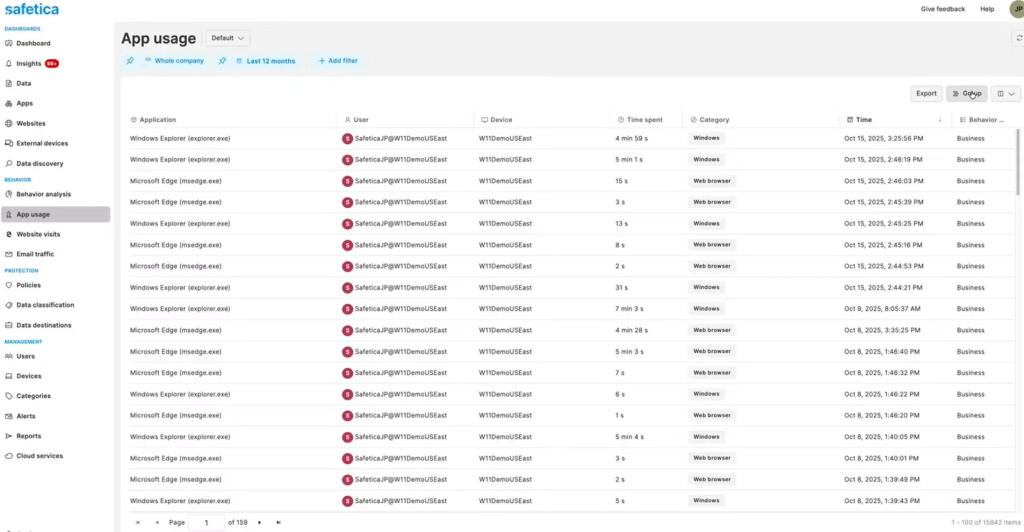
- User activity audit and behavioural context.
- Incident analysis and reporting.
- Cloud-application protection with plan-dependent coverage.
- Additional automation, integrations and retention in higher tiers.
What stands out. The combination of content protection and user context can reduce the number of separate questions an investigator must ask. The published Grazitti Interactive case gives an example of use in an IT-services business, although it dates from 2023.
Advantages
- Public starting prices make initial budgeting possible.
- Cloud hosting removes the need to maintain the application server.
- Several tiers allow buyers to specify retention, reporting and integrations.
Limitations. The tiers are meaningfully different. Standard does not include everything shown for Premium or Enterprise. The compatibility documentation and macOS feature list should be checked closely: Windows ARM is not supported in the reviewed requirements, and some macOS event collection differs from Windows.
Pricing. The official plan page lists annual starting prices of US$72/user for Standard, US$96 for Premium and US$144 for Enterprise. That is US$6, US$8 and US$12 per user per month when annualised. At the Standard starting rate, 50 users would illustrate US$3,600 per year, approximately ₹343,531 using the exchange-rate basis explained below. Confirm whether that rate and minimum order apply to a 50-user purchase; it is not a binding quote.
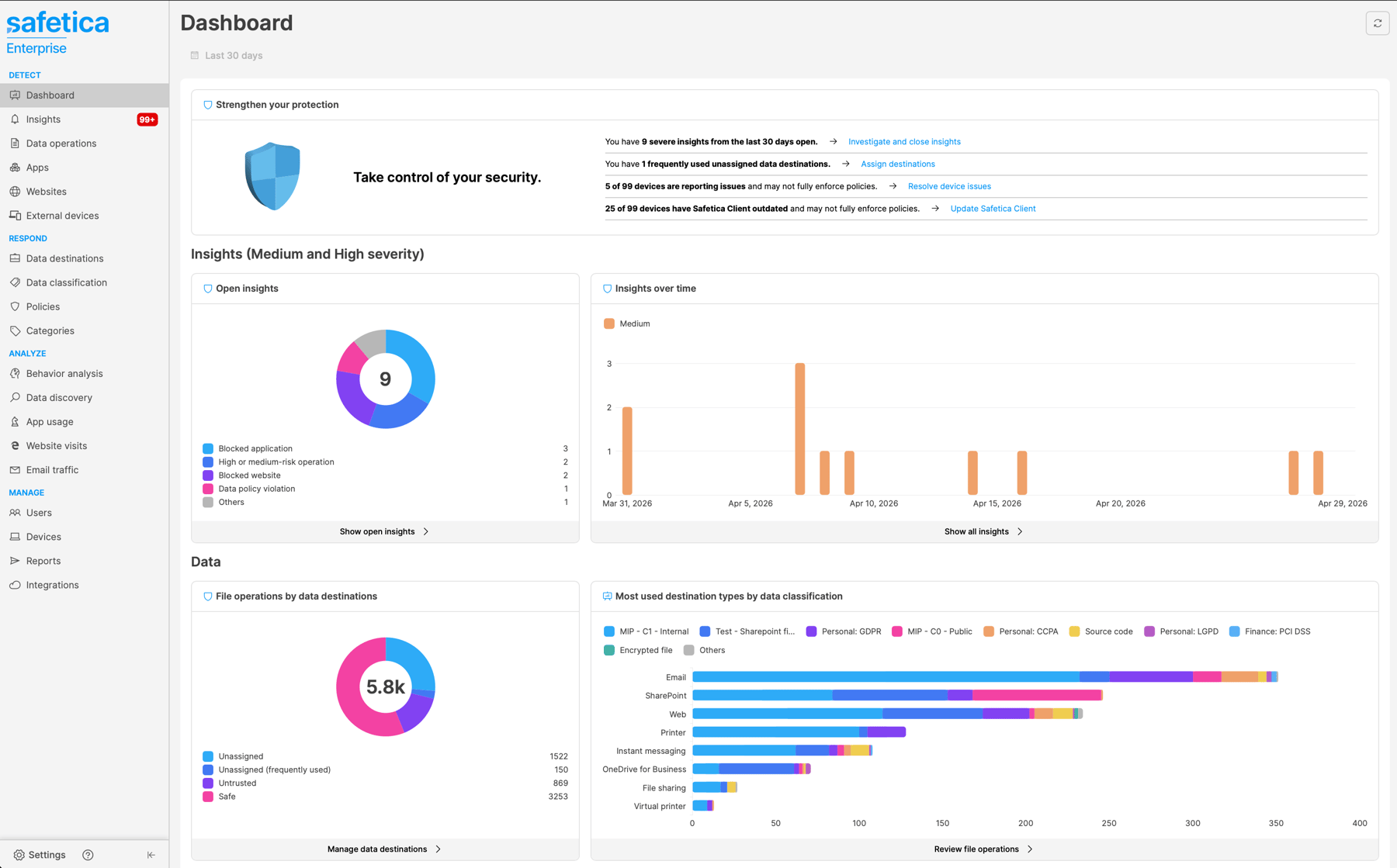
Safetica's cloud console, published in its platform materials. Source.
Takeaway: Safetica is a useful shortlist option when data controls and employee context belong in the same investigation workflow.
Microsoft Purview DLP — for businesses already using Microsoft 365
Category: DLP within the Microsoft data-security ecosystem. Official website: Microsoft Purview DLP documentation. Capterra: Microsoft Purview Data Loss Prevention — no reviews in the research snapshot.
Overview and best fit. Purview is a logical place to start when Microsoft 365 already holds most of your business documents and communications. Buying decisions need to begin with existing entitlements: different subscriptions provide different DLP locations and capabilities.
Key features
- Sensitive-information recognition and sensitivity labels.
- Policies for supported Microsoft 365 services.
- Endpoint DLP on supported Windows and macOS devices.
- Policy tips, restrictions and incident alerts.
- Local repository scanning in supported configurations.
- Connections with other Purview investigation and risk features where licensed.
What stands out. Purview ties protection to the services where many employees already work. Microsoft's Infosys case describes the use of labels and DLP policies in Cyber Advisor, including a generative-AI scenario. It establishes a specific use case, not an India-wide installed-base figure.
Advantages
- Existing Microsoft customers can start by checking what they already own.
- Labels and policies connect with familiar document workflows.
- DLP events can feed the wider Microsoft investigation environment.
Limitations. Microsoft licensing is not interchangeable across workloads. Endpoint DLP and other advanced capabilities require the right entitlements; consult the Purview service description. Newer network or AI integrations may have separate prerequisites and consumption charges. Do not treat every preview feature as included production coverage.
Pricing. One SMB route is Purview Suite for Microsoft 365 Business Premium at ₹830/user/month, paid yearly, with GST extra. For 50 already-licensed Business Premium users, the add-on is ₹498,000 per year. For new buyers, the reviewed Business Premium plan with Teams is ₹1,830/user/month on annual payment, bringing this illustrative combination to ₹1,596,000 per year for 50 users, before GST. This buys a broader suite, not a standalone DLP licence.
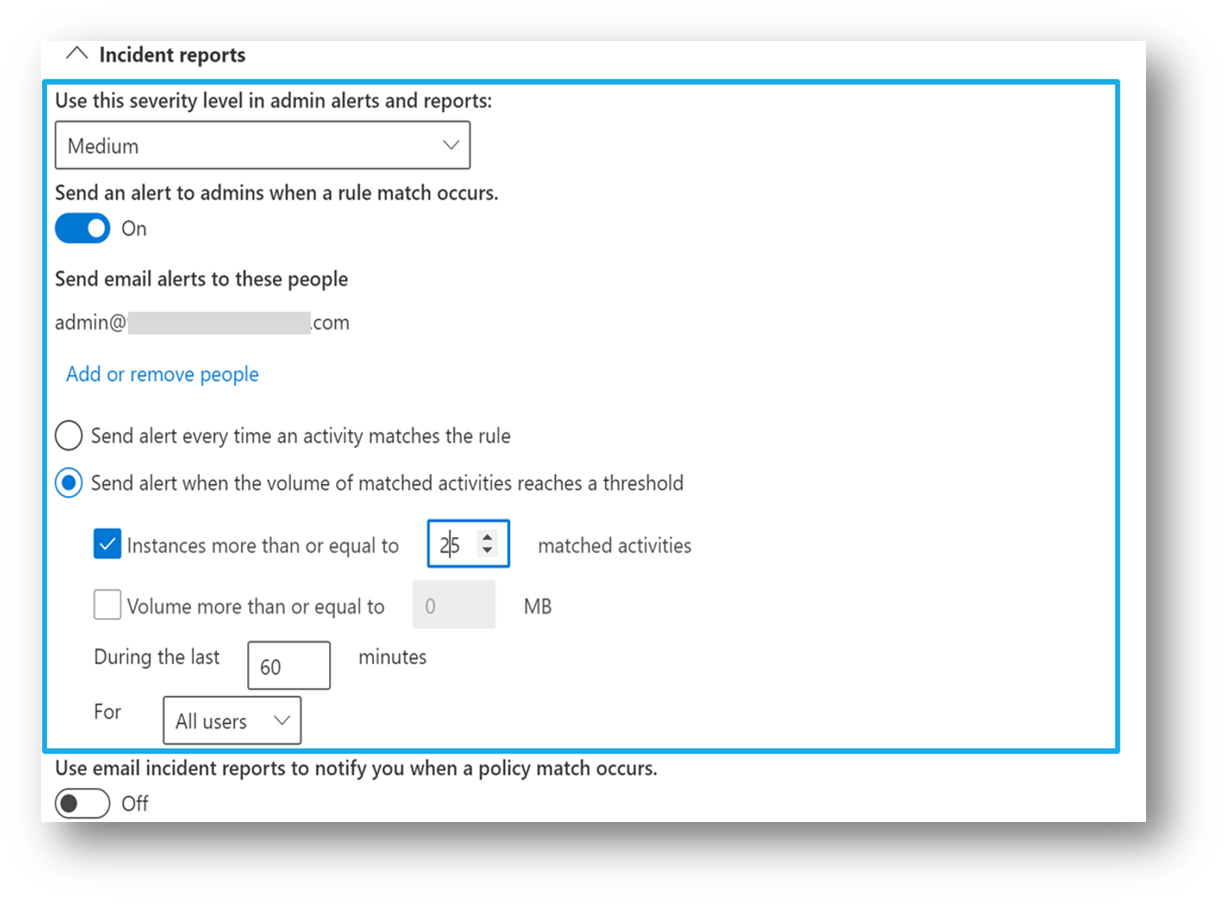
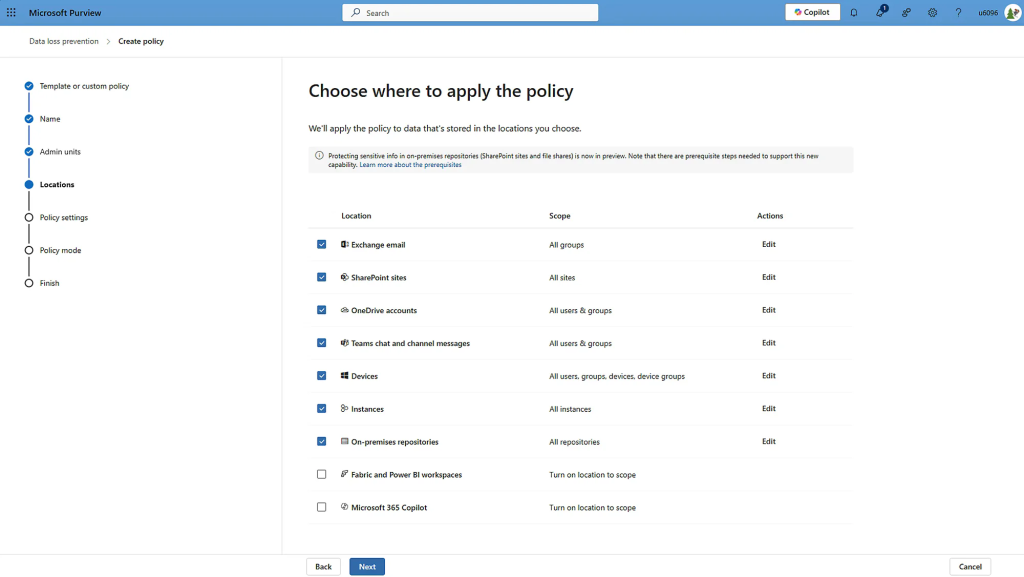
DLP alert configuration in Microsoft documentation. Available settings depend on licensing. Source.
Takeaway: Check Purview early if you already use Microsoft 365, but compare the relevant add-on and prerequisite licences together.
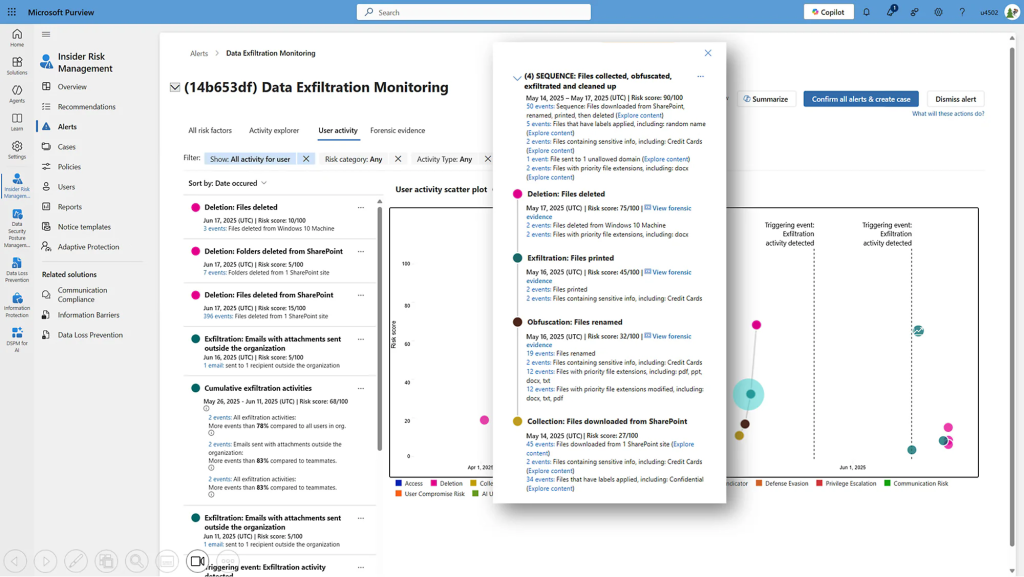
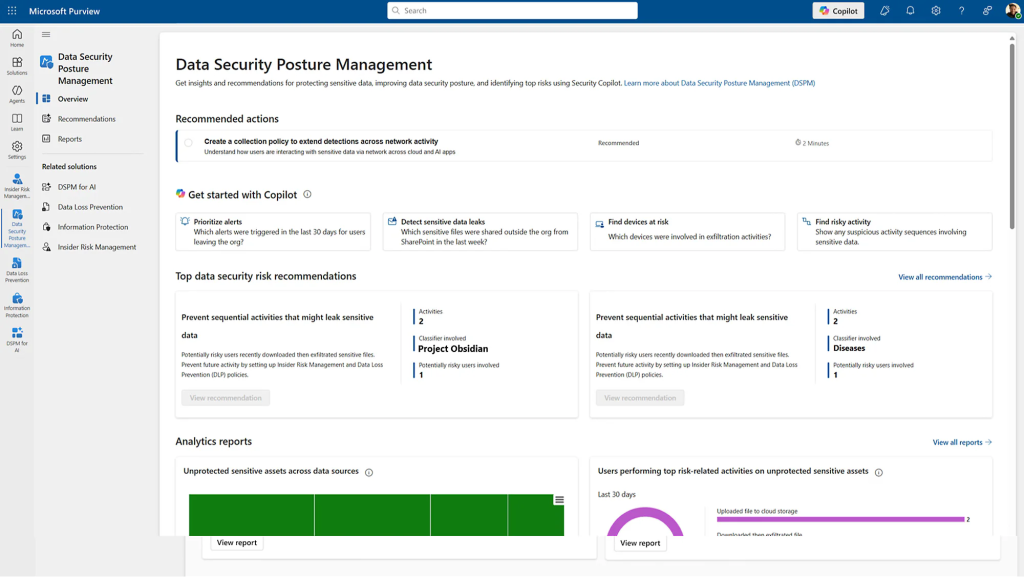
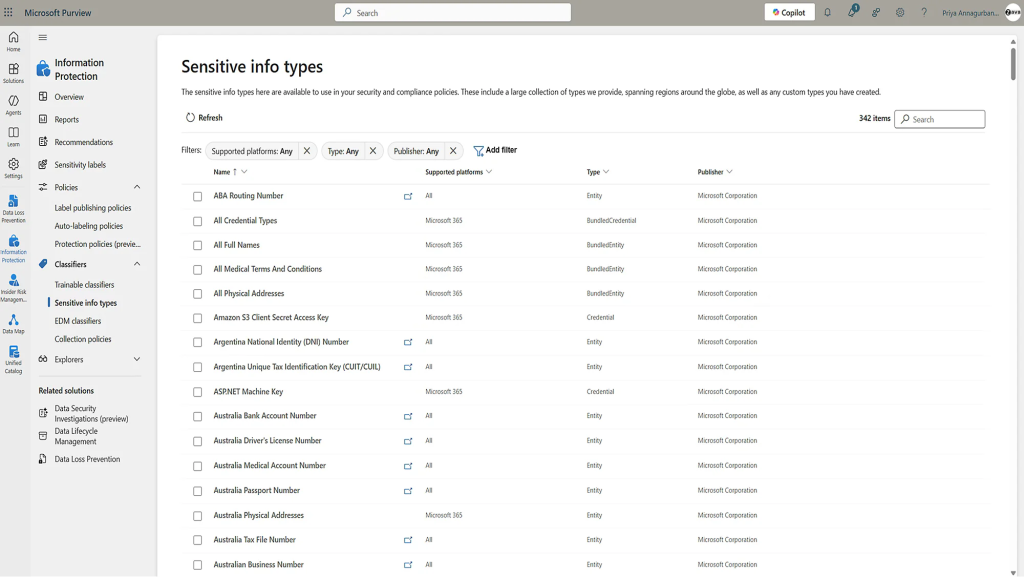
inDefend Advanced — for combining data protection and employee monitoring
Category: DLP with user-activity and behaviour analysis. Official website: Data Resolve inDefend. Capterra: inDefend — 4.7/5 from 35 reviews for the product family.
Overview and best fit. inDefend, developed by Data Resolve, brings data-leakage controls and employee monitoring into a common product family. It is relevant when the IT team wants to understand both a risky transfer and the activity around it, rather than purchasing separate tools for each question.
Key features
- Sensitive-data protection and classification capabilities.
- Device and USB-related controls.
- Application and website monitoring or controls, depending on configuration.
- Employee activity and behaviour reporting.
- Incident notifications and investigation context.
- Additional capabilities in the selected Advanced configuration.
What stands out. The product's breadth across monitoring and data security creates several possible starting points for a pilot. The supplier's Advanced listing on Microsoft Marketplace is a useful source for defining which configuration is actually being discussed.
Advantages
- Combines monitoring and protection in one product family.
- Offers a local supplier route for businesses evaluating deployment and support.
- Provides activity context alongside incident notifications.
Limitations. Specify the edition in writing. Some published material uses different inDefend edition names, and the Capterra score covers the family rather than proving the performance of Advanced alone. Request a current OS and application matrix, particularly if you operate a mixed desktop estate. A broad feature description is not a substitute for demonstrating your exact transfer scenario.
Pricing. Custom quote. A comparable proposal should identify Advanced, protected users/devices, deployment, data classification, required channel controls and support. The public material reviewed did not provide a sufficiently clear current 50-user tariff to calculate an annual total.
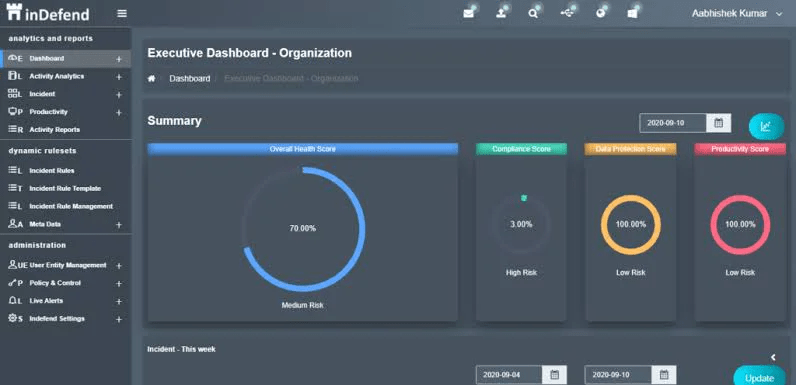
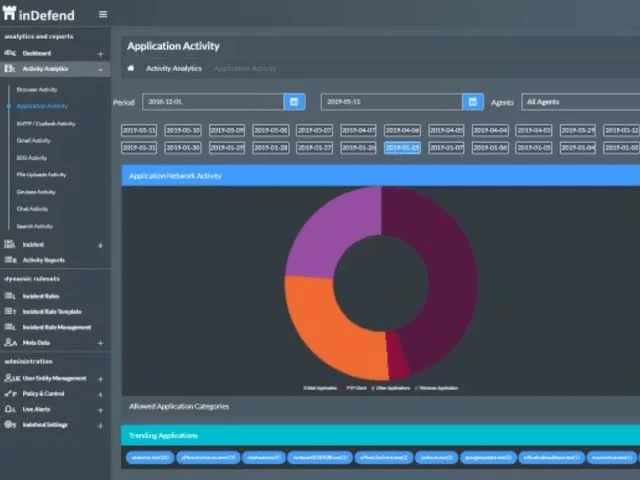
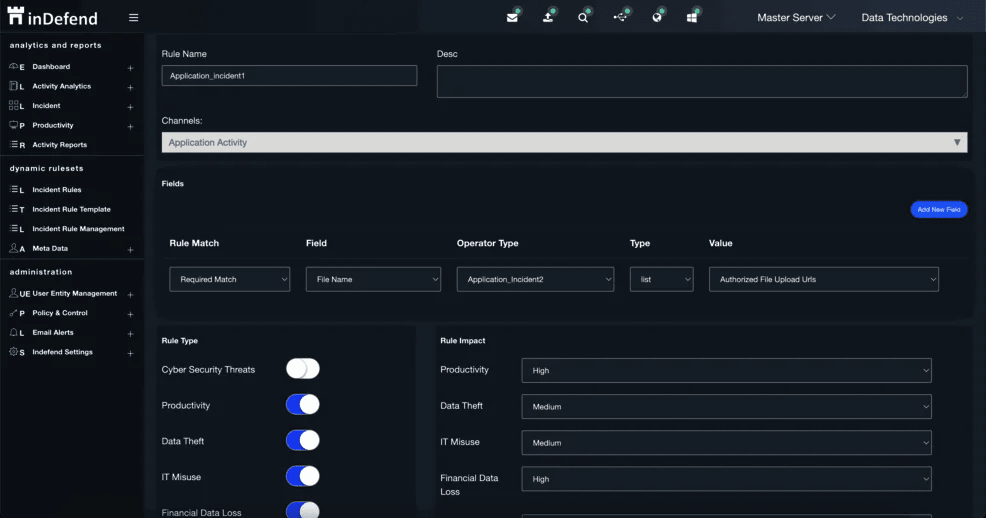
Interface preview: Open the inDefend product gallery on Capterra or request the supplier's product tour. Check that the demonstration corresponds to the edition in the proposal.
Takeaway: Consider inDefend if your evaluation spans both employee monitoring and data protection, with particular attention to edition and platform coverage.
Seqrite Endpoint Protection Cloud with DLP — for a combined endpoint stack
Category: Endpoint protection with a DLP add-on. Official website: Seqrite Endpoint Protection Cloud. Capterra: No exact listing for this Cloud-plus-DLP configuration was verified; ratings for other Seqrite products are not substituted.
Overview and best fit. Seqrite is relevant to organisations that want to manage endpoint security and data-leakage controls through the same supplier. The product family contains several editions, so the key purchasing question is whether the quoted configuration actually includes DLP.
Key features
- Central management of endpoint protection.
- Device and application controls in relevant editions.
- DLP policies for sensitive-data movement.
- Controls for supported USB, clipboard, application and network-share scenarios.
- Incident visibility alongside other endpoint-security events.
- Cloud management for supported endpoints.
What stands out. It offers a route to add data protection to an endpoint-security purchase rather than introduce an entirely separate product family. Seqrite's customer material includes named users of DLP, including InfoBeans and Suyati Technologies; the testimonials do not establish current deployment size.
Advantages
- One supplier can cover several endpoint-security requirements.
- Cloud management suits distributed devices.
- Device and application controls can support the wider data-protection policy.
Limitations. On the reviewed Cloud page, DLP is an add-on for the relevant Advanced and Premium editions. Do not compare an inexpensive antivirus-only quotation with a complete DLP package. Version-specific DLP documentation also shows why OS and action details matter: general endpoint support does not establish identical DLP functions on every platform.
Pricing. Custom quote. Request the endpoint subscription plus the DLP add-on for 50 devices. Include any necessary deployment services and renewal conditions. The main public Cloud page does not give a comparable fixed price for that combined configuration.
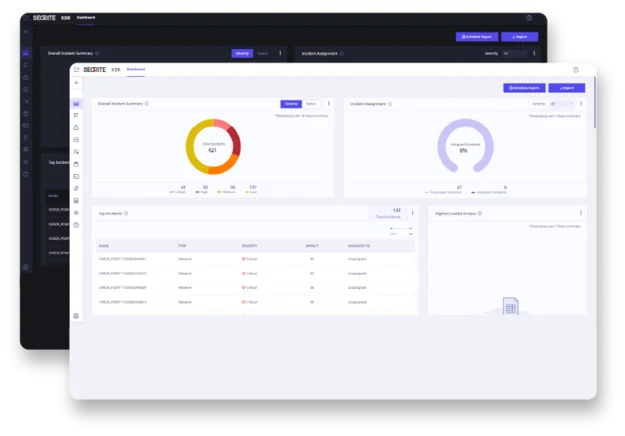
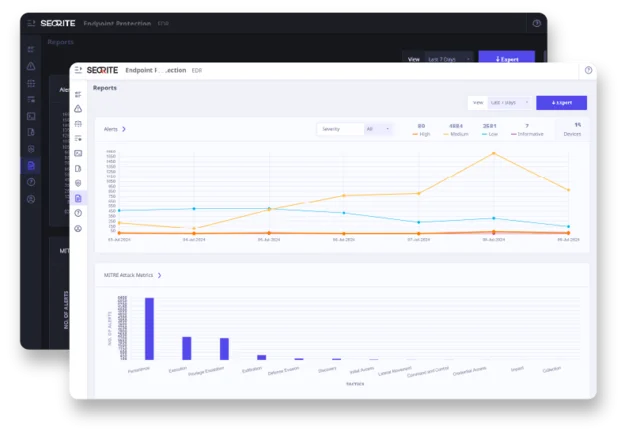
The vendor's Endpoint Protection Cloud dashboard; the image illustrates the wider console, not proof that a specific DLP add-on is licensed. Source.
Takeaway: Evaluate Seqrite when endpoint protection is already part of the purchase, and make the DLP add-on explicit in the specification.
Netskope One DLP — for cloud, web and AI-related data movement
Category: DLP within a cloud-delivered security platform. Official website: Netskope One DLP. Capterra: Netskope Active Platform — 4.8/5 from 12 reviews; this is a platform rating.
Overview and best fit. Netskope is relevant when work moves between SaaS applications, web services and AI tools. Its DLP approach combines content inspection with details about users, devices and activities, helping administrators distinguish approved work from a risky transfer.
Key features
- Content inspection and sensitive-data classification.
- Policies for connected cloud and web channels.
- Context based on users, devices and activities.
- Restrictions on unauthorised actions.
- Real-time user coaching for supported activities.
- Incident investigation and integrations with wider workflows.
What stands out. Its India Threat Labs Report 2026 uses customer telemetry from April 2025 to April 2026, including DLP incidents. That is recent evidence of relevant local usage, although it represents a subset of Netskope customers rather than the whole market.
Advantages
- Strong relevance to businesses that rely on cloud applications.
- Context can help distinguish activities within the same service.
- User coaching offers an intermediate response between silent logging and blocking.
Limitations. Coverage depends on the connected services, traffic paths, agents and licences. API-based inspection of stored files should not be confused with inline enforcement during a transfer. The DLP documentation should be read alongside the proposed configuration, particularly if endpoint or private-application coverage is important.
Pricing. Custom quote. Define the user count, SaaS integrations, web inspection and endpoint requirements before comparing proposals. The wider platform's review score or customer count does not establish the value of a particular DLP licence.
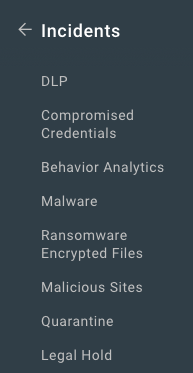
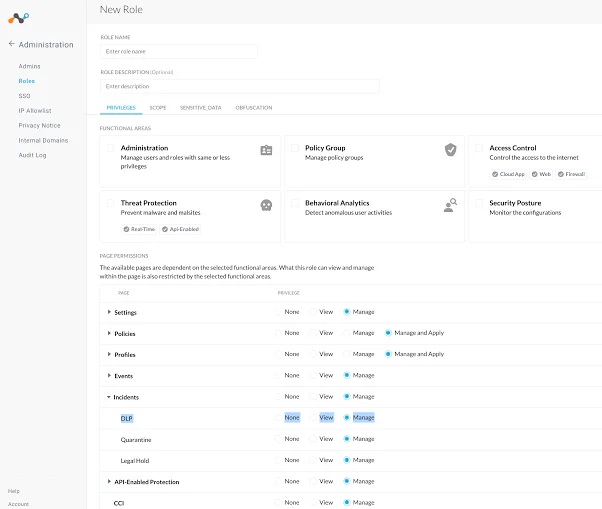
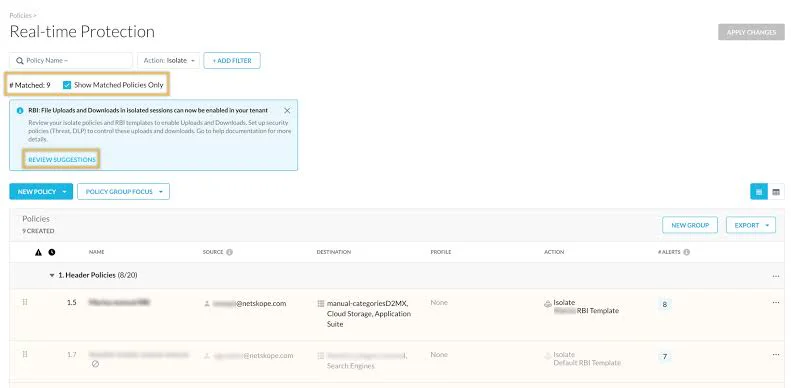
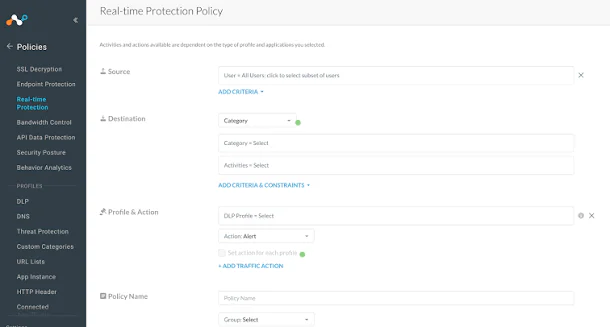
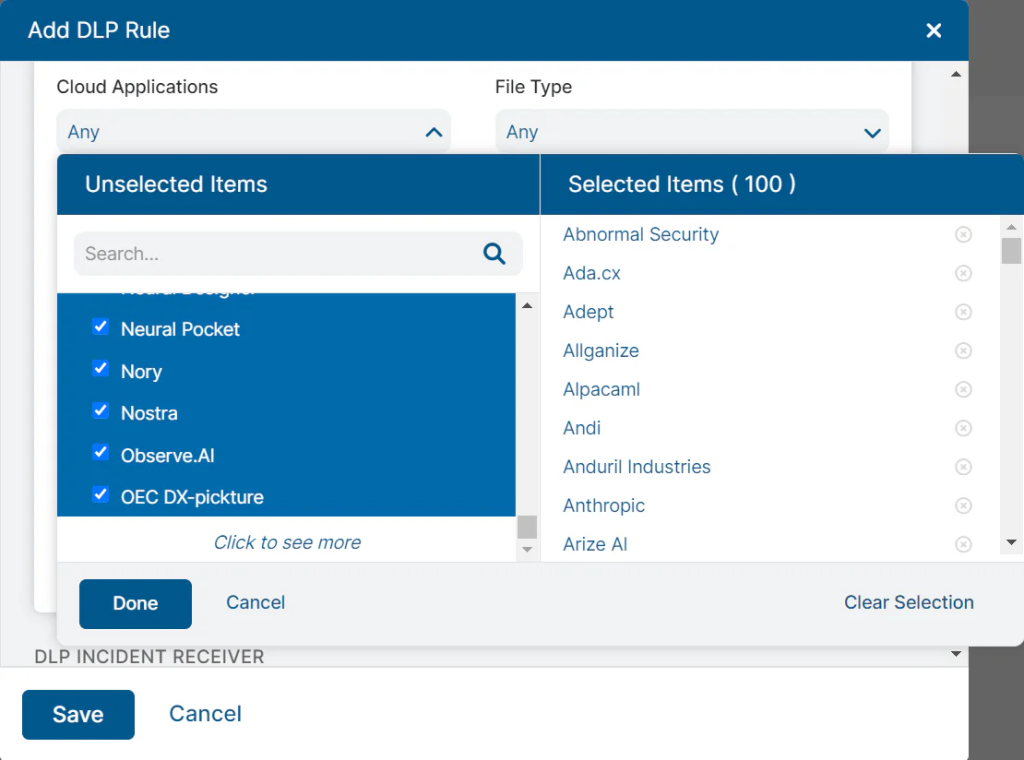
Incident-management navigation from Netskope's documentation. This documentation image may differ from the current interface. Source.
Takeaway: Put Netskope on the shortlist when cloud and browser-based work are the main places where sensitive information moves.
Zscaler DLP — for data protection across a distributed workforce
Category: Cloud-delivered DLP with endpoint and application components. Official website: Zscaler DLP. Capterra: Zscaler Internet Access — 4.3/5 from 48 reviews; the score covers the wider platform.
Overview and best fit. Zscaler is relevant to organisations protecting people who work across offices, homes and cloud applications. It offers several data-protection components, making the required coverage and the existing Zscaler environment important parts of the buying decision.
Key features
- Sensitive-content recognition and policy enforcement.
- Exact Data Match and Indexed Document Matching.
- OCR-supported inspection for appropriate file types.
- Web, SaaS and other channel protection through the relevant components.
- Endpoint DLP controls for supported local activities.
- Incident information and investigation workflows.
What stands out. The ability to apply a common approach across distributed users and several channels is useful for service businesses. Zscaler's Persistent customer story describes data protection in a large IT-services environment, and Marico supplies another named business example.
Advantages
- Relevant to distributed teams using cloud applications.
- Offers both content-matching techniques and endpoint-related controls.
- Can fit a broader Zscaler access-security deployment.
Limitations. Endpoint and cloud capabilities should be checked separately in the proposal. The reviewed Endpoint DLP policy documentation specifies a 100 MB file limit, including extracted archives. This is worth testing if your business handles large design files or document bundles. OS and Client Connector requirements also affect endpoint coverage.
Pricing. Custom quote. Ask for the necessary platform subscription and each DLP component, not simply a price for Zscaler Internet Access. Include the applications, devices and traffic scenarios that will be covered in the pilot.
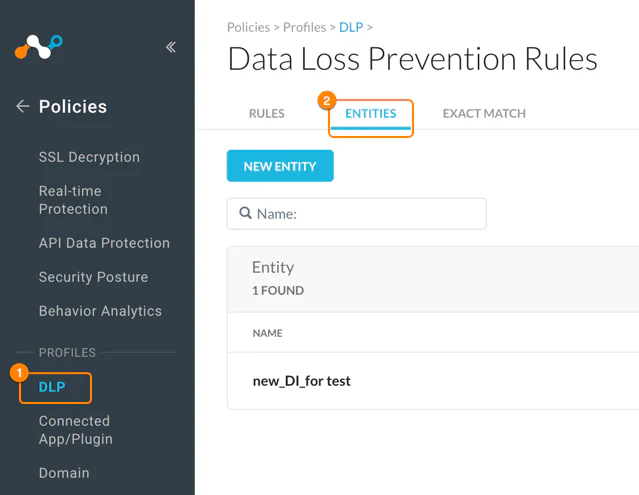
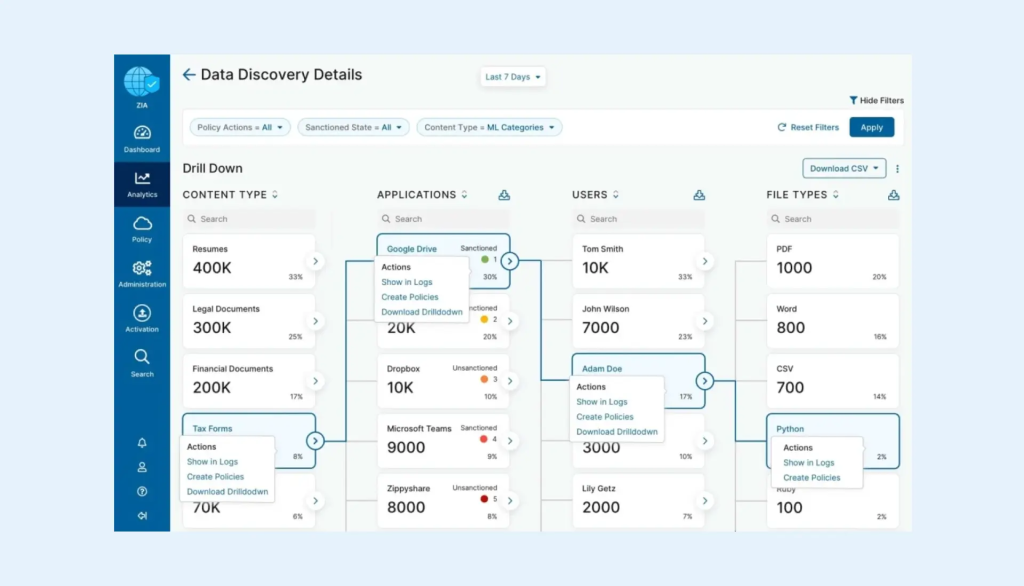
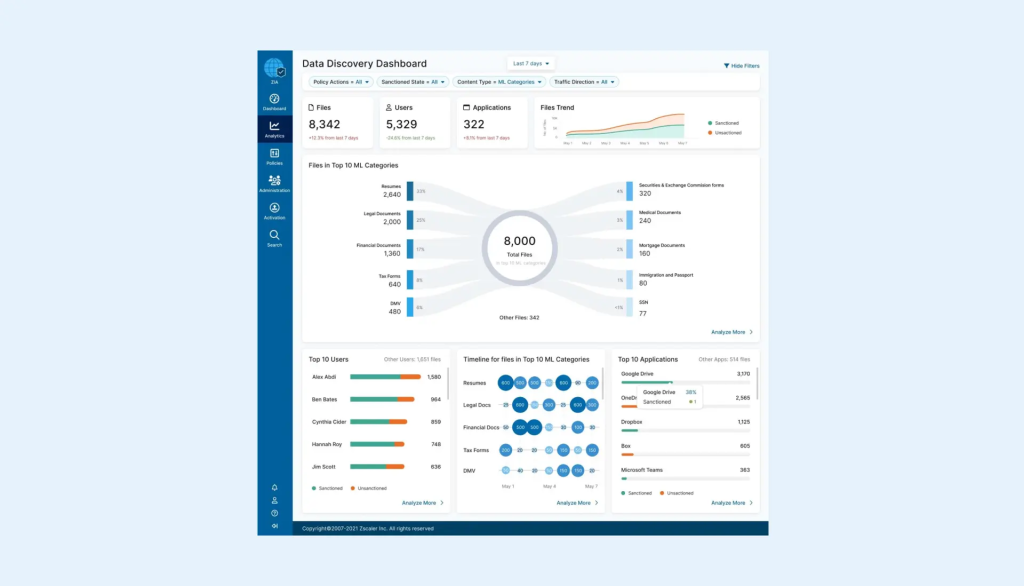
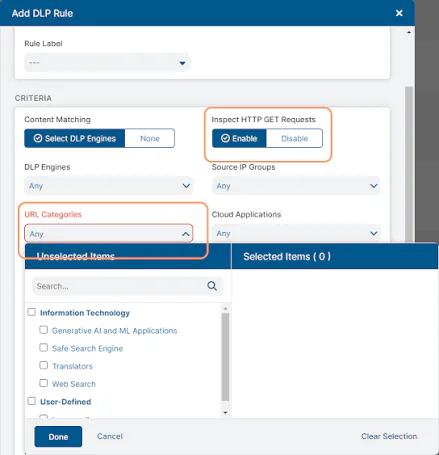
Interface screenshot: View the SaaS DLP policy screen on page 31, Figure 35, of Zscaler's official deployment guide. It shows the Data At Rest Scanning policy interface; the guide may show an earlier UI version.
Takeaway: Consider Zscaler when data protection is part of a wider plan for securing distributed users and cloud access.
Teramind DLP — for detailed activity investigation with enforcement
Category: User-activity monitoring and insider-risk platform with a DLP plan. Official website: Teramind DLP. Capterra: Teramind — 4.7/5 from 107 reviews for the platform, not only the DLP plan.
Overview and best fit. Teramind is relevant when reconstructing user actions is central to an investigation. Its DLP plan extends the monitoring and behavioural capabilities of the wider platform with content-based rules and automated protective actions.
Key features
- Application and website activity monitoring.
- Screen recording and activity playback.
- Behavioural rules and investigation context.
- Sensitive-content detection in the DLP plan.
- Content-based policies and supported blocking actions.
- Redaction and controls over collected information.
What stands out. Session-level context can help investigators understand the sequence around an event rather than read a transfer log in isolation. The current plan comparison separates Starter, UAM, DLP and Enterprise, which is essential when comparing a proposal with a demonstration.
Advantages
- Detailed activity information supports investigation-led use cases.
- Cloud and self-hosted deployment choices are available.
- DLP combines content rules with the surrounding user context.
Limitations. Capabilities differ by plan and OS. The agent requirements now include supported Linux distributions, but that should not be read as feature parity with Windows. Screen capture and content collection also require deliberate choices about access, retention and exclusions.
Pricing. A vendor-published pricing example lists DLP at US$32/seat/month with annual billing, based on five seats. Applying that rate to 50 users gives an illustration of US$19,200 annually, approximately ₹1,832,168. This is not a verified 50-seat checkout price: confirm the current seat band and currency with the supplier. The licensing guide specifies a five-seat minimum and includes technical support and software updates during the subscription.
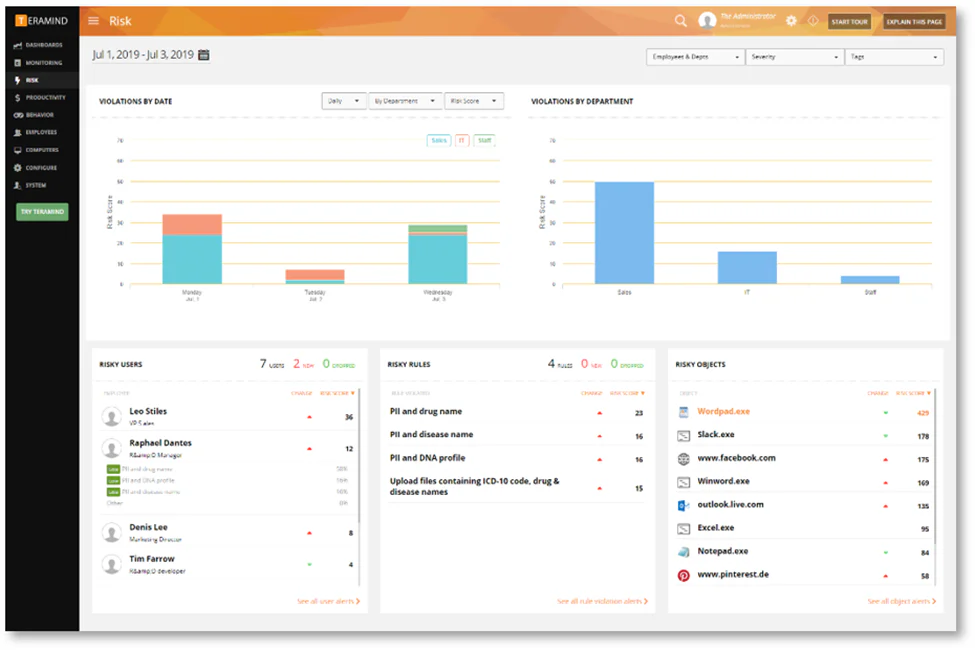
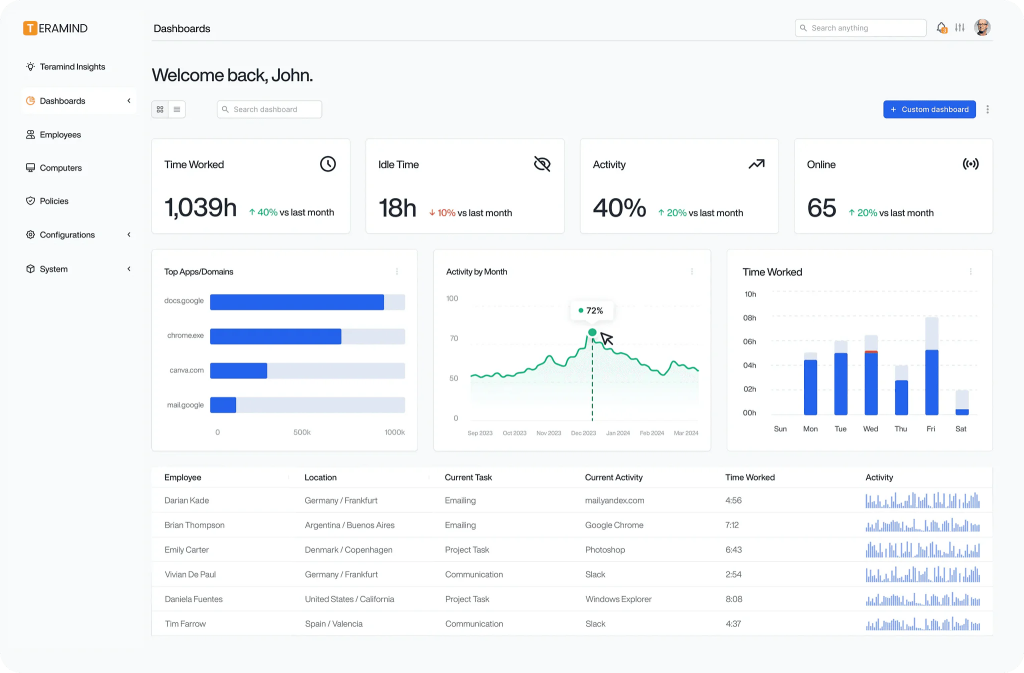
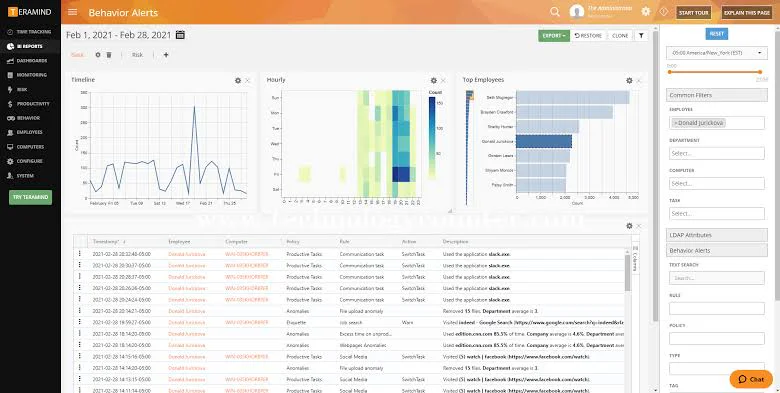
Teramind's platform dashboard; an illustration of the wider interface rather than proof of DLP-plan entitlement. Source.
Takeaway: Evaluate Teramind when you need detailed activity reconstruction and can define exactly which content controls belong in the selected plan.
How much does DLP cost?
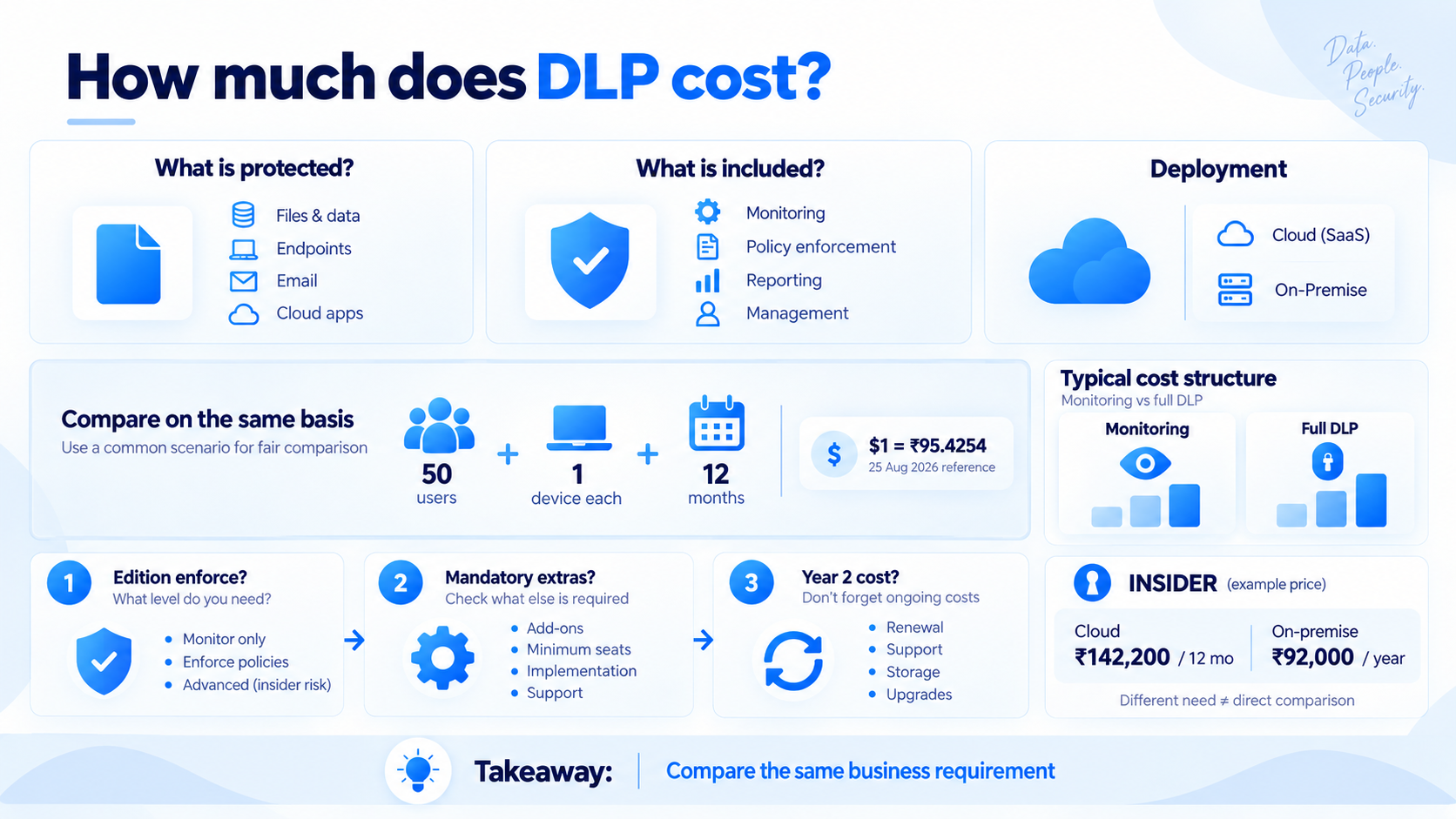
The price depends on what is being protected and what is included. A monitoring subscription, an endpoint DLP licence and a bundle containing office applications and security features solve different purchasing problems.
The final table uses 50 named users, one work device each and 12 months of use. It distinguishes a published or supplier-provided rate from a mathematical illustration. It also separates a Microsoft add-on for an existing customer from the cost of buying its prerequisite subscription.
For dollar-priced illustrations, the conversion used is US$1 = ₹95.4254, the 25 August 2026 reference rate retrievable from Financial Benchmarks India. It is a dated budgeting reference, not a live exchange rate or a supplier's local selling price. Actual currency conversion and taxes may differ.
Three questions make price comparisons more useful:
- What can the quoted edition enforce? A lower base price is not a saving if the required DLP module is missing.
- What are the mandatory extras? Include prerequisites, minimum seats, implementation and infrastructure where applicable.
- What will the second year cost? Check renewals, support, updates and storage. A perpetual licence is a different commitment from a subscription; its purchase price should not be presented as a recurring annual charge.
For organisations whose immediate requirement is employee activity visibility rather than content-aware DLP enforcement, monitoring platforms can have a substantially different cost structure. INSIDER, for example, is priced at ₹142,200 for 50 Cloud users over 12 months or ₹92,000 in annual on-premises licences. These figures should not be compared directly with full DLP platforms unless the underlying business requirement is the same.
How to run a DLP test before buying
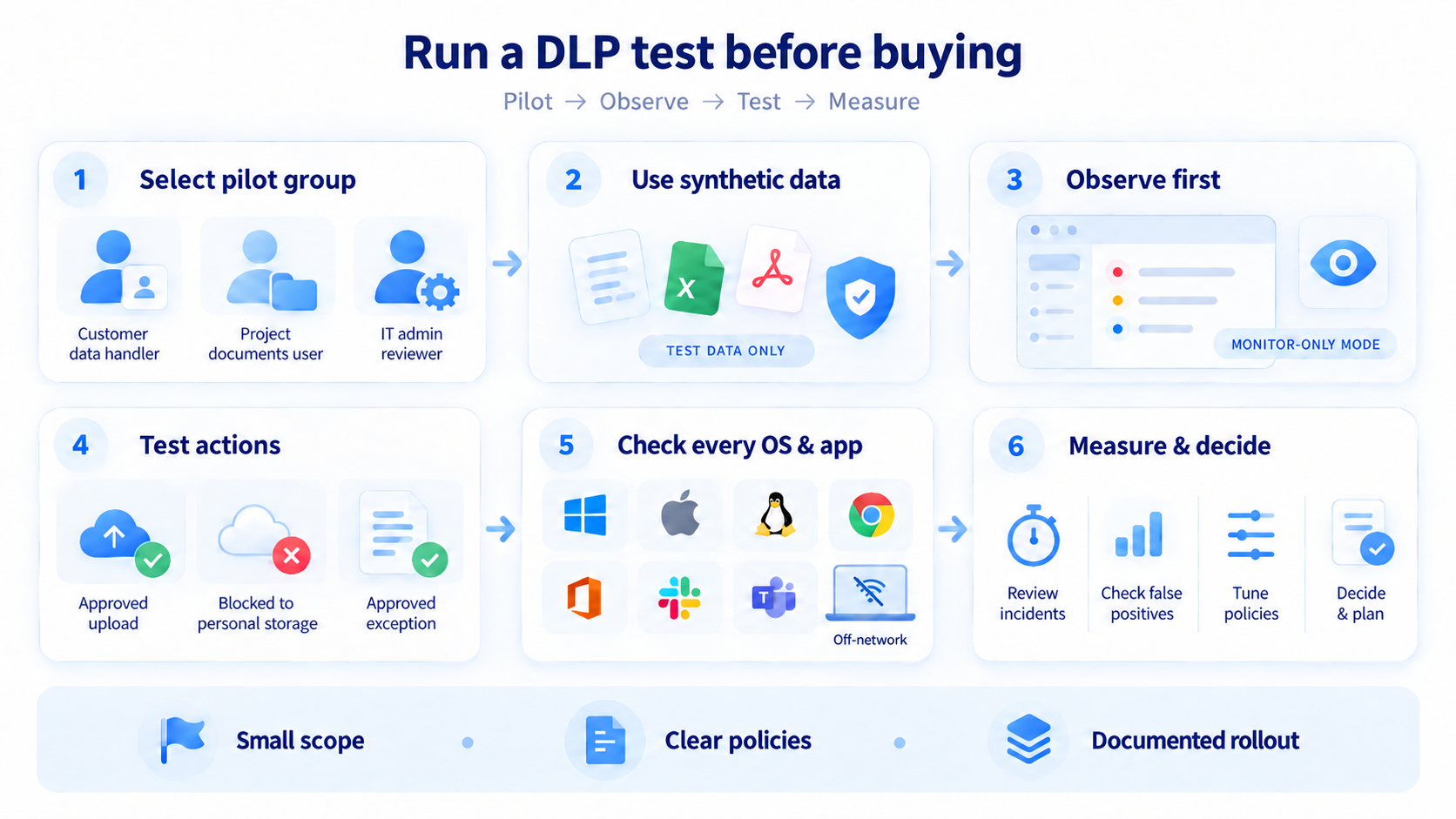
Choose a small group representing the devices and work patterns you need to protect. Include an employee who handles customer records, someone who works with project documents and an administrator who will review the incidents. Use synthetic sensitive information rather than live customer files.
Start with a DLP configuration that lets you observe what the proposed policies detect before enabling blocking. Check whether alerts contain enough context to make a decision, and separate genuine issues from routine business activity. Microsoft's policy planning guidance is one useful reference for thinking about locations, conditions and responses.
Then test the required action. For example, use a synthetic customer spreadsheet to check an approved upload, a prohibited transfer to personal storage and an authorised exception. Repeat the test on each important OS and application. For endpoint controls, include a device operating outside the office network where the product supports that scenario.
Measure what your team can act on: time to review an incident, missed test cases, unnecessary interruptions and the effort required to adjust a policy. Record which capabilities needed additional licences. An attractive dashboard matters less than whether your administrator can reach a reliable decision from it.
Before expanding, document the deployment scope, agreed policies, access roles, retention periods, employee communication and responsibility for maintenance. Keep the test results and unresolved issues with that implementation record. A limited policy that is understood and maintained is a stronger starting point than an extensive configuration nobody reviews.
Frequently asked questions
What Is the Best DLP Software for a Small Business?
There is no single best option for every small business. The right choice depends on what needs to be protected and which channels require control.
If the main requirement is content-aware prevention, shortlist DLP products that can classify sensitive information and enforce policies across the required endpoints, email, web or cloud services.
If the actual requirement is employee activity visibility and internal investigation rather than automatic content blocking, a monitoring platform such as INSIDER may be a simpler and less expensive alternative.
Is Employee Monitoring the Same as DLP?
No.
Employee monitoring focuses on work activity, such as applications, websites, working time, screenshots and other behavioural context.
DLP focuses on sensitive information and the policies governing how that information may be stored, copied, uploaded, emailed or otherwise transferred.
The two categories can complement each other, but one should not automatically be treated as a substitute for the other.
Can DLP stop files being uploaded to AI tools?
Some products support that scenario through endpoint, browser, network or SaaS controls. Coverage depends on the tool, account, browser and method of access. Test both file uploads and pasted text where relevant. Blocking an entire website is a different capability from examining sensitive content within a permitted service; Microsoft's network-data-security example illustrates the importance of prerequisites and configuration.
Does Microsoft 365 include DLP?
Some Microsoft subscriptions include DLP for particular services, while advanced endpoint and other capabilities need appropriate licences. The right starting point is the service description, followed by an entitlement review for your tenant. Do not assume that every Microsoft 365 plan provides the same protection.
Should we choose cloud or on-premises deployment?
Cloud deployment can reduce application-server administration. On-premises deployment gives the organisation responsibility for hosting and operating the service in its own environment. Decide based on required controls, data handling, available skills and the complete operating cost. Neither model establishes product quality by itself.
Why do so many DLP products use custom quotes?
The configuration can include different channels, licences, deployment options and services. A custom quote is useful if the scope is explicit. Send each supplier the same user count, device mix and required scenarios so that proposals can be compared meaningfully.
What is the difference between DLP, SIEM and access control?
DLP focuses on sensitive information and how it is handled or shared. A SIEM system—security information and event management—brings security logs and events together to help analysts detect and investigate threats across an organisation. Access control governs who may use particular data or resources and under what conditions. These functions can work together, but they answer different buying needs. See Microsoft's explanations of SIEM and access control.
Should you consider free or open-source DLP software?
When evaluating free DLP offers, distinguish a time-limited trial from a licence that permits ongoing use. For an open-source option, check the licence terms, current maintenance, supported channels and who will operate it. Include hosting, configuration and support in the budget, even when there is no licence charge.
For a business focused on employee oversight and investigations, INSIDER's 14-day free trial lets you assess activity reports and the incident workflow before choosing a paid plan.
Does a higher Capterra rating mean better protection?
Not necessarily. Ratings reflect the experiences of a particular review sample, sometimes for a whole platform rather than the DLP module. They can help identify questions for a demo, but they do not measure detection accuracy against your data. Small samples also warrant caution when comparing products.
DLP software comparison: capabilities and pricing
Use the tables below to narrow the shortlist, then confirm the exact edition and test the important scenarios. They describe the configurations discussed in this article, rather than every feature available across a supplier's portfolio.
Legend: Included means the reviewed product/configuration documents the capability; it is not a statement that it exists in every base licence. Add-on means an additional module or entitlement is needed. Limited indicates important channel, OS or integration restrictions. Not verified means the required capability was not established from the reviewed materials; it does not prove absence. Not available is used only where the relevant version explicitly lacks a feature.
Capabilities
| Product | Best-fit scenario | Deployment / OS | Content classification | Endpoint / USB prevention | Email / web prevention | SaaS protection | Activity and investigation context | Main buying consideration |
|---|---|---|---|---|---|---|---|---|
| 1. Forcepoint DLP | Policies spanning several channels | Local/cloud/hybrid components; endpoint support by module | Included | Included with endpoint components | Included with relevant components | Add-on / integration-dependent | DLP incident context | Specify every required channel and implementation component. |
| 2. INSIDER | Budget-friendly employee oversight, time reporting and investigations | Cloud/on-premises; Windows, macOS, Linux, Android with feature differences | Full DLP classification not verified | Content-based blocking not verified | Content-based blocking not verified | Website activity context; SaaS DLP not verified | Activity history, screenshots, time reports and supported-rule incidents | ₹237/user/month Cloud; annual and perpetual on-premises options; 14-day trial. |
| 3. Netwrix Endpoint Protector | Mixed endpoint estates | SaaS/hosted/appliance; Windows, macOS, Linux | Included | Included | Limited to supported endpoint applications and channels | Limited to supported endpoint channels; server-side scanning not assumed | Endpoint and transfer records | Confirm applications, modules and deployment. |
| 4. Safetica | Data protection with user context | Cloud/on-premises; Windows/macOS | Included | Included; OS limits | Included; channel and plan limits | Included with plan limits; some inspection may cost extra | Included; depth depends on tier | Standard, Premium and Enterprise are not interchangeable. |
| 5. Microsoft Purview DLP | Existing Microsoft 365 environment | Cloud management; Windows/macOS endpoint components; optional local scanner | Included | Add-on / qualifying entitlement | Included for qualifying workloads; broader network controls have prerequisites | Included for licensed supported workloads | DLP alerts; wider risk features depend on licence | Include the prerequisite subscription in new-customer budgets. |
| 6. inDefend Advanced | Combined monitoring and DLP | Agent-based; confirm current OS and hosting matrix | Included in the Advanced offering | Included for supported scenarios | Limited; confirm channels and edition | Not verified as universal SaaS coverage | Included | Establish the precise edition and supported applications. |
| 7. Seqrite EPP Cloud + DLP | Endpoint security and DLP from one supplier | Cloud-managed endpoints; DLP OS coverage must be checked | Add-on | Add-on | Limited; DLP add-on and channel support required | Not verified as general server-side SaaS DLP | Endpoint security and DLP records | Quote the DLP add-on, not antivirus protection alone. |
| 8. Netskope One DLP | SaaS, web and AI-related data movement | Cloud platform; integrations/agents as required | Included | Add-on / endpoint configuration | Included with relevant services | Included with supported integrations | DLP incidents and activity context | Distinguish API scanning from inline enforcement. |
| 9. Zscaler DLP | Distributed users and cloud access | Cloud platform; Windows/macOS Endpoint DLP | Included | Add-on / Endpoint DLP component | Included with relevant services | Included with relevant integrations | DLP records; workflow components vary | Check the Endpoint DLP 100 MB limit and licence scope. |
| 10. Teramind DLP | Detailed activity investigation with enforcement | Cloud/self-hosted; Windows/macOS/Linux with feature differences | Included in DLP plan | Included for supported actions; OS limits | Limited to supported applications/actions | Limited; do not assume general API-based SaaS scanning | Included; detailed monitoring | Verify DLP-plan entitlement and OS differences. |
Pricing for 50 users and 50 work devices
All amounts below are licence/subscription figures or illustrations, not complete implementation budgets. Prices were reviewed on 16 September 2026; Capterra prices were not used to fill gaps. INR conversions use the dated reference explained above. Unspecified costs remain unknown rather than being treated as zero.
| Product / configuration | Pricing basis | Per-user monthly equivalent | First-year licence/subscription amount for 50 users | Status and exclusions | Price source |
|---|---|---|---|---|---|
| 1. Forcepoint DLP | Custom quote | Not publicly listed for the required configuration | Custom quote | Channel licences, services, taxes and minimums depend on proposal. | Vendor |
| 2. INSIDER Cloud | ₹237/user/month | ₹237 | ₹142,200 for 12 months | Supplier-provided rate; minimum order, taxes and payment commitment to confirm. | INSIDER; rates supplied for this review on 16 Sep 2026 |
| 2. INSIDER on-premises — annual | ₹1,840/user/year | ₹153.33 annualised | ₹92,000 | Server, operations, taxes and support scope to confirm. | Same supplier-provided tariff |
| 2. INSIDER on-premises — perpetual | ₹3,680/user, one-time licence | Not a recurring monthly subscription | ₹184,000 licence purchase | Infrastructure, future updates and support terms to confirm; not an annual renewal price. | Same supplier-provided tariff |
| 3. Netwrix Endpoint Protector | Custom quote | Not publicly listed for the required configuration | Custom quote | Modules, hosting and minimums to confirm. | Vendor |
| 4. Safetica Standard | Starts at US$72/user/year | US$6 ≈ ₹573 | US$3,600 ≈ ₹343,531 | Illustration at the starting rate; 50-user eligibility, minimum order, taxes and extras require a quote. Premium/Enterprise cost more. | Plan page |
| 5. Purview Suite for Business Premium — add-on only | ₹830/user/month, paid yearly | ₹830 additional | ₹498,000 additional | Requires existing Microsoft 365 Business Premium; GST extra. | Microsoft add-on pricing |
| 5. Business Premium with Teams + Purview Suite | ₹1,830 + ₹830/user/month, paid yearly | ₹2,660 | ₹1,596,000 | New-customer illustration; wider productivity/security suite, not standalone DLP. GST extra. | Base plan and add-on |
| 6. inDefend Advanced | Custom quote | Not publicly listed for the required configuration | Custom quote | Specify edition, deployment, channels, support and taxes. | Vendor |
| 7. Seqrite EPP Cloud + DLP | Endpoint subscription plus DLP add-on | Custom quote | Custom quote | DLP must be included explicitly; base endpoint price is insufficient. | Cloud edition matrix |
| 8. Netskope One DLP | Custom quote | Not publicly listed for the required configuration | Custom quote | SaaS, web, endpoint components and services depend on scope. | Vendor |
| 9. Zscaler DLP | Custom quote | Not publicly listed for the required configuration | Custom quote | Include platform prerequisites and required DLP channels. | Vendor |
| 10. Teramind DLP | Vendor example: US$32/seat/month, annual billing | US$32 ≈ ₹3,054 | US$19,200 ≈ ₹1,832,168 | Illustration extrapolated from a five-seat example; current 50-seat rate, currency and taxes require confirmation. Five-seat minimum documented. | Vendor price example and licensing |